
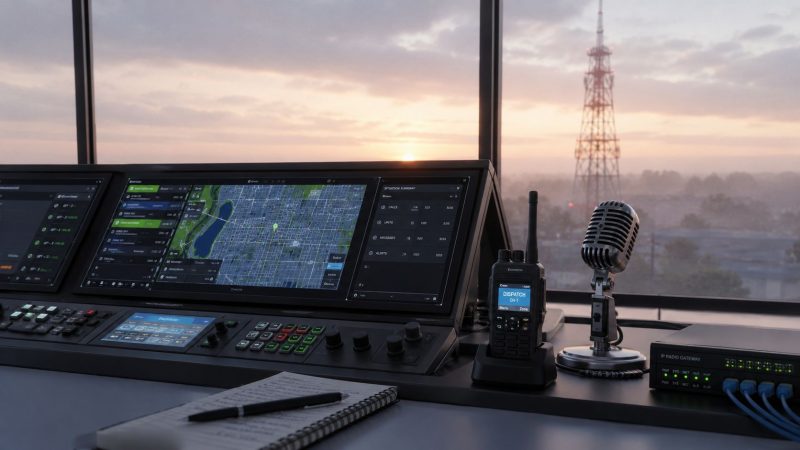
A Complete Guide to Radio Dispatch Systems
A lot of agency managers are dealing with the same problem right now. The radios still work, the field crews know how to use them, and nobody wants to trigger a full replacement project. But every major incident exposes the cracks. One channel gets overloaded. Another agency arrives with a different protocol. Dispatchers start repeating addresses, unit statuses, and handoff details that should already be visible on screen.
That's where radio dispatch systems stop being a technical line item and become an operational risk decision. The wrong setup doesn't just slow communication. It increases labor, hides avoidable costs, and pushes teams into expensive hardware purchases when a better software layer could solve the actual problem.
The Command Center Lifeline
A communications failure rarely starts as a dramatic collapse. It starts with small delays.
Fire is en route, EMS is trying to confirm access points, law enforcement is securing the perimeter, and dispatch is relaying the same location details across separate channels because the systems don't talk cleanly to each other. One missed transmission forces a repeat. One manual handoff creates confusion about who's assigned, who's staging, and who's already on scene.
That's why radio dispatch systems matter. They are the control point that turns separate radios, users, and agencies into one coordinated operation.
The historical lesson is clear. The foundation of modern dispatching was laid on April 7, 1928, when the Detroit Police Department began the first regular one-way radio communication with patrol cars. That adoption accelerated fast enough that by 1937, approximately two thousand police agencies were using radio, which established it as the standard for public safety coordination, according to the Engineering and Technology History Wiki milestone record.
Where breakdowns still happen
The failure point today usually isn't radio itself. It's fragmentation.
A team may have:
- Working handhelds that field staff trust
- A dispatch position that can only monitor part of the operation efficiently
- Separate software tools for mapping, rostering, and messaging
- No clean bridge between legacy radio traffic and live operational data
That setup forces dispatchers to compensate manually. They become the integration layer.
Practical rule: If your dispatcher has to verbally repeat information that software already knows, your system is costing you money every shift.
A modern command center should tie radio traffic to unit visibility, incident context, and mapping. A live operational map matters because the question during a busy event isn't just “who copied traffic?” It's “who is closest, available, and already committed?” A tool with live incident mapping changes that from guesswork into a visual dispatch decision.
What actually improves control
The best improvement isn't always replacing every radio. In many environments, the smarter move is keeping usable field hardware and improving the dispatch layer around it.
That means better interoperability, tighter incident handling, and fewer manual workarounds. Agencies that get this right don't just sound more organized on the air. They spend less time correcting avoidable communication mistakes.
Understanding Core System Components
A radio dispatch system works like a nervous system. The dispatch console is the brain. The radios are the nerves carrying signals in and out. The infrastructure, including repeaters, base stations, antennas, and network connections, acts like the spine that extends reach and keeps the whole body connected.
If you don't understand each piece, it's easy to overspend on the wrong one.
The console, the field units, and the signal path
Start with the dispatch console. It allows operators to listen, select channels, patch communications, and manage incident traffic. A weak console setup creates hidden workload because dispatchers spend more effort switching contexts instead of managing the event.
Then come the radio units:
- Portable radios stay with personnel on foot
- Mobile radios stay in vehicles
- Base stations provide fixed-site radio access for control points and dispatch positions
Each serves a different role. Portable units favor mobility. Mobile radios usually provide stronger vehicle-based coverage. Base stations anchor a fixed operating location.
The infrastructure that quietly drives cost
Repeaters and antennas determine how far and how reliably the network reaches. A repeater receives a weak signal and retransmits it to extend coverage. That sounds simple, but it's where many organizations start accumulating capital cost, maintenance exposure, and site dependency.
Infrastructure decisions should answer three questions:
Coverage need
Are you trying to cover one building, one campus, one municipality, or a multi-site operation?Traffic load
Are users mostly checking in occasionally, or are they running constant operational traffic?Integration path
Can the system connect to software, gateways, and future digital tools without forcing a rip-and-replace project later?
A lot of managers buy hardware to fix what is a visibility problem. If dispatch can't see where units are, leadership often assumes they need more radio infrastructure. Sometimes they do. Sometimes they need location-aware software tied into the dispatch workflow. Tools such as AVL unit tracking change that equation by reducing the dependence on verbal location updates.
Hardware solves coverage problems. Software solves coordination problems. Confusing the two gets expensive.
What to inspect before you approve upgrades
Before signing off on any expansion, check the basics:
- Console workflow: Can dispatchers monitor and act without excessive screen switching?
- Radio mix: Are portable, mobile, and base units matched to actual field use?
- Repeater necessity: Is each repeater fixing a real coverage gap or compensating for poor process?
- Integration readiness: Can your current architecture connect to IP gateways and data tools?
Managers who separate these layers make better buying decisions. They also avoid the common mistake of treating every communication problem as a hardware shortage.
Analog vs Digital and IP-Based Systems
Most radio dispatch systems in the field today fall into three categories. Analog, digital, and IP-based. They are not interchangeable from an operational or financial standpoint, even when they all seem to deliver the same basic outcome, which is voice communication.

The transition to digital was formalized in the 2000s when DMR and P25 became global standards, replacing older analog FM systems. That shift built on the invention of the transistor, which made portable radios practical and enabled the data capabilities and IP integrations used in modern dispatch consoles, as outlined in this history of walkie-talkie development and digital radio standards.
What each model does well
Analog still has a place. It's familiar, direct, and often easier to maintain in legacy environments. But it's limited when you need richer data, cleaner interoperability, or expansion across mixed systems.
Digital improves channel efficiency and supports features that operations teams increasingly expect, such as GPS, messaging, and broader data handling. It's a stronger fit when agencies need modern field visibility but still want dedicated radio workflows.
IP-based systems move the center of gravity away from hardware-only architecture. They use network connectivity to bridge sites, protocols, and users in a way older radio-only designs can't match cleanly.
| Feature | Analog | Digital (DMR/P25) | IP-Based (RoIP) |
|---|---|---|---|
| Core strength | Simple voice communication | Voice plus stronger data capability | Cross-network connectivity and software integration |
| Typical fit | Legacy fleets and basic single-network operations | Public safety and commercial fleets needing modern features | Multi-site, multi-protocol, or hybrid operations |
| Scalability | More limited | Stronger than analog | Strongest when network architecture is planned well |
| Interoperability | Often requires added workarounds | Better standard-based options | Best for linking disparate systems through software and gateways |
| Cost pattern | Lower feature depth but can become limiting | Upgrade cost with better capability | Often reduces hardware dependence but requires good integration planning |
| Security and control | Basic | Stronger modern controls | Depends on implementation, but supports broader centralized management |
The trade-offs that matter in the budget meeting
The biggest mistake is choosing based on audio alone.
If your operation only needs local voice traffic with stable coverage, analog may remain workable. But if dispatchers are manually relaying status, location, and assignment details that should move as data, analog can become expensive in labor even when the radios themselves are paid for.
Digital is often the right middle path. It modernizes field communication without forcing a complete shift in operating culture.
IP-based architecture is where agencies usually see the biggest long-term management gains. It's especially useful when:
- Multiple agencies or departments need to communicate without replacing every endpoint
- Remote sites need to operate under one dispatch umbrella
- Software tools need to interact with radio traffic
- Procurement teams want to avoid getting trapped in one vendor's hardware ecosystem
If you're comparing systems only by upfront radio cost, you're missing the part of the bill that shows up in staffing friction and delayed coordination.
Integrating Radios with Modern Dispatch Software
Radio hardware is only half the system. Its greatest benefit comes from what happens when you connect that hardware to software that can track units, manage incidents, log activity, and reduce avoidable radio traffic.

A practical path is to bridge existing radio assets into an IP environment rather than replacing functioning field equipment. Modern IP-based dispatch consoles can achieve interoperability through VoIP connections to radiogateways, including systems such as the Omnitronics IPR series, which allows them to work with both legacy analog radios and modern digital systems like DMR, according to the RediTALK-Flex technical specifications.
How the integration layer works
At a basic level, the design looks like this:
- Keep the radios in service if they still meet field durability and coverage needs.
- Connect radio channels to gateways that can translate traffic into an IP-based dispatch environment.
- Present that traffic inside dispatch software where operators can see incidents, unit status, logs, and maps in one place.
- Add mobile and data workflows so crews aren't forced to voice every detail over the air.
Software transforms the economics of dispatch. If every destination, status update, and assignment has to be spoken, acknowledged, repeated, and logged manually, dispatch stays busy doing clerical traffic instead of coordination.
Integrated CAD changes that. According to Resgrid's CAD discussion on route optimization, CAD systems can reduce a municipal fleet's annual fuel expenses by 15–20% through route optimization that cuts unnecessary miles and idle time. That matters because it turns dispatch modernization into a line-item savings conversation, not just a technology refresh.
One screen beats four disconnected tools
A dispatcher shouldn't need separate systems for radio, mapping, personnel status, and incident notes if those functions can be unified. One practical option in that category is dispatching software for field coordination, where agencies can combine dispatch workflows with messaging, tracking, and organizational management instead of stacking disconnected tools.
Use software integration to remove unnecessary purchases:
- Avoid duplicate systems: Don't buy a separate product for messaging if the dispatch platform already handles operational communication.
- Reduce manual logging: Let incident actions and unit movement create the record as work happens.
- Cut radio chatter: Push addresses, updates, and assignment details as data when the workflow allows it.
- Preserve usable hardware: Extend the life of radios that still perform well in the field.
Later in the deployment, visual training helps teams understand what a unified workflow looks like in practice.
A practical money-saving example
Take a mixed fleet operation with older analog radios, a few newer digital units, and a dispatcher who spends much of the shift repeating location information. A hardware-first answer would be to buy new radios and more infrastructure. A software-first answer is to gateway the existing channels, add CAD and mapping, then move status and routing data off the voice channel where possible.
That approach saves money in three places. It protects prior radio investment, lowers wasted driving through route optimization, and reduces the administrative burden inside the dispatch position.
Calculating True Cost and Return on Investment
Most agencies underestimate radio dispatch system cost because they look at the purchase order, not the operating model.
A repeater quote is visible. The daily cost of radio chatter, manual status checks, duplicate software, and vendor lock-in usually isn't. That's why total cost of ownership matters more than sticker price.

A single mobile radio base station repeater can cost between $10,000 and $20,000, and organizations can save tens of thousands in upfront hardware costs by choosing an IP-based dispatch console that uses existing internet infrastructure instead of buying multiple repeaters, based on the Minnesota legislative audit appendix on dispatch and radio equipment costs.
The costs most buyers miss
Procurement teams tend to count:
- radios
- consoles
- repeaters
- installation
They often miss:
- dispatcher time spent on manual relay work
- added training caused by fragmented tools
- maintenance obligations tied to proprietary hardware
- future migration cost when one vendor controls the architecture
- lost efficiency from voice-heavy workflows that should be data-driven
That last item is especially important. Industry discussion often focuses on hardware features and next-generation network labels, but there is still a real gap in practical guidance on the total cost of ownership difference between legacy LMR and broadband-augmented models, especially around the hidden cost of excessive radio chatter. The ZOLL Data analysis of smarter dispatch resource management points directly at that underexamined issue.
The cheapest system to buy is often the most expensive system to operate.
A simple ROI framework managers can actually use
Build your case around four buckets.
| Cost or return bucket | What to examine |
|---|---|
| Upfront capital | Repeaters, consoles, radio replacement, install labor |
| Ongoing support | Maintenance terms, update model, contract obligations |
| Operational drag | Manual logging, repeated traffic, dispatcher workload, duplicated tools |
| Efficiency gains | Route optimization, better visibility, fewer workarounds, longer useful life for existing hardware |
Then ask practical questions.
- If radios still work, can software and gateways extend their useful life?
- If field crews already carry smartphones or MDT-style devices, what information can move off voice?
- If your dispatcher spends time asking where units are, why isn't location data available automatically?
- If a proprietary console requires expensive expansion, what would an open, IP-connected model cost instead?
Money-saving actions that hold up in review
A few steps usually produce the fastest return:
- Delay unnecessary repeater purchases until you confirm the problem is coverage, not visibility.
- Use existing network infrastructure where an IP-based console can replace hardware expansion.
- Move routine details to data workflows so voice stays available for command traffic.
- Score vendors on exit flexibility as seriously as you score them on features.
A manager who frames modernization as a TCO project usually gets further with finance than one who frames it as a radio upgrade.
Your Procurement and Deployment Checklist
At 2 a.m., procurement mistakes show up fast. A dispatcher is juggling calls, a supervisor is asking for unit status, and the new console still depends on a workaround nobody documented in training. Agencies rarely get into that position because they bought too little technology. They get there because they bought the wrong mix of hardware, software, and support.
Start procurement with the operating problem and the cost target. If the goal is better coverage, specify that. If the goal is lower dispatcher workload, faster status updates, or fewer manual relays, specify that too. A radio project that is framed only as equipment replacement usually gets overbuilt and overpriced.
Start with operational reality
Document how dispatch runs during a busy shift, a storm event, or a multi-agency response. The policy manual matters less than the handoffs your team is making under pressure.
Capture four things:
- Who needs to talk: police, fire, EMS, utilities, security, event staff, mutual aid partners
- Where the workflow breaks: dead spots, busy channels, delayed acknowledgments, repeated voice traffic, manual message relays
- What dispatch needs in front of them: location, staffing, assignments, incident notes, unit status, shift availability
- What you already own: legacy radios, digital radios, repeaters, CAD, phones, tablets, mobile apps, mapping tools
This inventory protects budget. It also exposes where software can reduce voice traffic instead of forcing another hardware purchase.
The vendor questions that protect budget and flexibility
A good proposal should tell you what stays, what goes, what integrates, and what will cost more later. If those answers are vague, the risk is not technical. It is financial.
Ask vendors:
- What can we keep in service without creating support problems?
- What new hardware is required at launch?
- What depends on proprietary licensing, subscriptions, or expansion modules?
- How does the system handle another site, another agency, or a temporary command post?
- Which dispatch functions are built in, and which require separate products?
- How do we export our data, logs, and configuration if we leave later?
- What training is included for dispatchers, supervisors, and administrators?
- Who owns the integration work if radios, software, and network components do not behave as promised?
One question matters more than buyers admit. Ask the vendor to separate first-year cost from three-to-five-year cost. That is where console licensing, support terms, replacement parts, and integration dependencies start to show up.
Buy the operating model, not just the console.
Deploy in phases
Phased deployment costs less to correct. That matters because deployment mistakes are usually workflow mistakes, not hardware failures.
A practical rollout looks like this:
- Pilot one dispatch position with live users and normal call volume
- Migrate one workflow first such as unit status, incident notes, or location display
- Keep legacy voice paths available until supervisors confirm the new process holds up on real shifts
- Train shift leads first so support exists on every tour, not only during vendor hours
- Review logs and operator feedback weekly during rollout and fix confusion before expanding
This approach is also where software integration changes the economics. If a platform like Resgrid can take incident data, messaging, personnel visibility, and status handling out of pure voice traffic, the agency may avoid part of a hardware-heavy expansion. That does not eliminate radios. It lets radios carry the traffic that requires radio communication.
Where agencies usually waste money
The common mistakes are predictable.
They buy extra hardware before proving the problem is capacity or coverage. They approve a console without understanding recurring support costs. They treat training as a one-time event, then pay for it again through workarounds, delayed calls, and operator frustration.
The better approach is to score vendors on total cost of ownership, deployment risk, and exit flexibility alongside features. A cheaper bid that forces new hardware, extra licensing, and consultant support often costs more within a few budget cycles. A slightly more deliberate rollout, with stronger software integration and a clear plan for keeping useful equipment in service, usually delivers the better return.
Best Practices for Long-Term System Health
A radio dispatch system doesn't stay healthy on its own. Teams have to maintain both the hardware discipline and the software discipline.
Check radios routinely. Test batteries, audio accessories, channel behavior, and repeater performance before failures force the issue. Small preventive checks are cheaper than troubleshooting during an active incident.
Then audit the dispatch workflow itself. Review communication logs, identify repeated voice traffic that could move to data, and retrain on the weak spots. Keep firmware and software current, especially where gateways and dispatch interfaces are involved.
Use short refreshers instead of one-time training events:
- Run scenario drills: include multi-agency handoffs and overloaded channel conditions.
- Review channel use: separate routine traffic from command traffic whenever possible.
- Clean up user and role data: stale personnel records create avoidable delays.
- Update playbooks: procedures should match the tools operators currently use.
Long-term value comes from steady adjustment. Agencies that treat maintenance as an operating habit get more life, more reliability, and more financial return from the same system.
If you're evaluating radio dispatch systems and want a lower-cost path than a hardware-heavy overhaul, Resgrid, LLC is worth a look. It provides an open-source platform for dispatching, messaging, organization management, personnel tracking, and reporting, which can help agencies and response teams unify workflows around the radios they already have instead of forcing unnecessary replacement.