
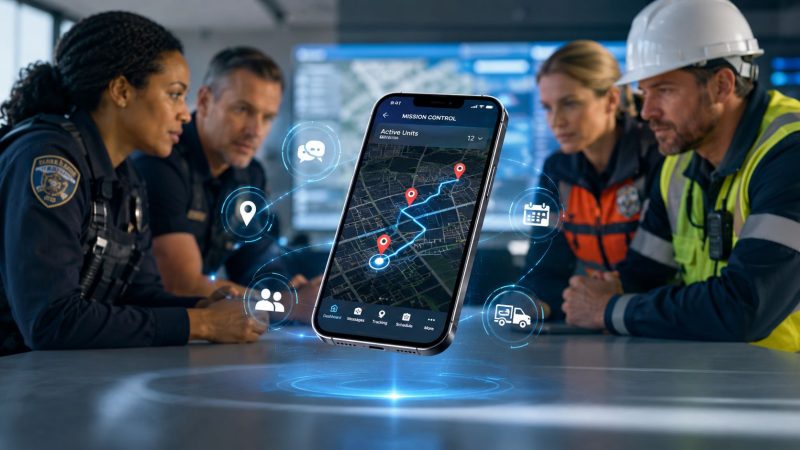
Mobile Dispatch App: Essential for Modern Teams in 2026
Your dispatcher is on the phone. A field unit is asking for the address again. Another supervisor is texting a route change. Someone in the office is updating a whiteboard that was already wrong ten minutes ago. Meanwhile, the customer, patient, tenant, or incident commander wants an ETA you can't give with confidence.
That's the moment when teams often realize they don't have a communication problem. They have a coordination problem.
A mobile dispatch app fixes that only when it becomes the shared operational screen for everyone involved. Used well, it cuts repeat calls, reduces transcription mistakes, shortens handoff time, and gives managers a usable record of what happened. Used badly, it becomes one more app layered on top of radio traffic, text threads, and paper notes.
The difference comes down to workflow. The teams that save money and improve response don't buy features. They replace friction.
When Seconds Count Why Your Team Needs a Mobile Dispatch App
If you run field operations, you already know how failure starts. It usually doesn't start with a catastrophic outage. It starts with small delays that stack up.
A dispatcher calls the wrong unit first. A technician drives across town only to learn another crew was closer. A security supervisor gets a verbal update, forgets one detail, and the next shift inherits a partial picture. In emergency work, those mistakes raise risk. In commercial service, they raise cost.
A mobile dispatch app gives you one place for assignment, status, location, and communication. That sounds simple, but operationally it changes everything. Instead of relying on memory, radio traffic, and phone logs, your team works from the same live incident record.
One reason this matters now is that mobile dispatch is no longer a niche fleet tool. An industry report cited by Ridewyze says adoption exceeds 60% in sectors including utilities, healthcare, and construction, which signals that mobile dispatch workflows have become standard for coordinating time-sensitive operations across major industries (Ridewyze on mobile dispatch adoption).
What outdated dispatch actually costs
The expensive part of manual dispatch isn't just delay. It's the chain reaction:
- Extra driving: crews take inefficient routes or get reassigned late
- Admin rework: office staff re-enter job notes from calls, texts, and paper
- Missed documentation: completion proof, photos, and timestamps go missing
- Poor visibility: managers can't see which unit is available right now
- Liability exposure: nobody can reconstruct the exact sequence of events cleanly
Practical rule: If your dispatcher has to ask, “Where are you now?” more than a few times a shift, your process is costing you money.
In the field, speed matters. But clarity matters just as much. The right mobile dispatch app doesn't just help you move faster. It helps you stop wasting labor on preventable confusion.
How a Mobile Dispatch App Transforms Communication
Think of a mobile dispatch app as air traffic control for mobile workforces. Group chat can send messages. A GPS app can show a dot on a map. A phone call can pass along an assignment. None of those tools coordinate the full movement of people, tasks, status changes, and records in one place.
That's the difference.

How the information flow should work
A good mobile dispatch app turns one incident or service request into a controlled stream of actions:
- A call or task is created with location, notes, priority, and any attachments.
- Dispatch assigns the job to the right unit based on availability, role, or geography.
- The field unit receives the assignment on a phone or tablet without waiting for a follow-up call.
- Status changes are logged as the work progresses, such as en route, on scene, delayed, complete, or needs escalation.
- Supervisors and office staff see the same record instead of piecing together updates from separate channels.
That's why this software changes communication. It replaces scattered conversations with shared operational data.
Why messaging alone isn't enough
A lot of teams try to solve dispatch with texting apps and location sharing. That usually works until volume rises or conditions change mid-shift.
Messaging is part of dispatch, not the whole job. If you need a reference for what an integrated team communication layer can look like, Resgrid messaging features show the kind of in-platform communication model that reduces the need to bounce between separate apps. Significant value comes when messaging is tied to units, incidents, and status updates instead of floating in isolated threads.
A dispatch message without linked status, location, and task context still forces someone to interpret what happens next.
There's also a scale issue. Cox Automotive reported that since its 2024 launch, the Central Dispatch carrier app was downloaded more than 141,000 times and used to complete more than 4.7 million loads, which shows how mobile apps are becoming the main execution environment for operational workflows, not just a companion tool (Cox Automotive on Central Dispatch app usage).
What this looks like in practice
In a security operation, a dispatcher can push a patrol reassignment while the officer is still clearing the previous activity. In facilities service, the technician can receive a revised stop order after a cancellation without stopping to answer the phone. In an event operation, command can track which teams acknowledged a change and which haven't.
Those are communication improvements, but they also produce cost savings. Fewer repeat calls mean less dispatcher time spent relaying basics. Fewer missed updates mean fewer errors that require a supervisor to clean up later.
Core Features Your Mobile Dispatch App Must Have
A feature only matters if it changes an outcome. When I evaluate a mobile dispatch app, I don't ask whether it has a long checklist. I ask what expense or failure point that feature removes.
Start with the visual map of what matters most.

Real-time dispatching that actually reduces waste
Dispatching must be fast, but the bigger savings come from correct assignment. If your dispatcher can see unit status and job load in one screen, they stop overloading one crew while another sits underused.
Tools like Resgrid dispatching fit operationally. The important question isn't brand. It's whether the system lets dispatch assign, monitor, and update work from one shared workflow instead of forcing duplicate entry.
What works:
- Status-aware assignment: send work to crews who are available
- Mid-shift adjustment: reassign without losing job context
- Central visibility: office and field see the same call record
What doesn't:
- Sending assignments by text, then tracking completion somewhere else
- Letting units self-report availability with no live status discipline
- Building the day around static schedules that break on first contact with reality
GPS tracking that helps without draining devices
A tracking map is useful only if it's reliable enough to support ETAs and route review. Ditat Mobile Dispatch states that it uploads GPS position at specified intervals rather than continuously, which preserves battery while still giving dispatch a movement trail for ETA and route analysis (Ditat Mobile Dispatch app listing).
That interval-based approach matters in practical terms. Continuous tracking sounds impressive in a sales demo. In practice, battery drain and device fatigue can make crews disable the very feature you bought.
Use GPS data for:
- Closest-appropriate-unit decisions
- Route adherence review
- Post-incident reconstruction
- Stop duration analysis
Don't use GPS as a substitute for actual dispatch discipline. A map full of moving icons doesn't help if unit statuses are wrong.
To see how entry control can connect with field coordination in buildings, campuses, or managed sites, Nimbio's smart entry system is a useful example of adjacent operational tooling. It matters when dispatch workflows depend on knowing who can access a site, when they arrived, and how movement at the front door ties back to field activity.
Job management and proof built into the workflow
A modern mobile dispatch app should let crews do the entire job record from the device. That includes notes, photos, completion status, and customer or site acknowledgment where appropriate.
This saves money in quiet ways:
- Admin staff spend less time chasing missing paperwork
- Billing or reporting teams don't wait on handwritten notes
- Supervisors can verify what happened without calling three people
- Disputes are easier to resolve because the record is attached to the task
A quick video overview helps show how these systems are commonly used in the field.
Field lesson: The cheapest feature in a dispatch platform is often the one that removes one minute of clerical work from every job. That minute repeats all year.
Unlocking Cost Savings and Operational Excellence
Most buyers talk about faster response and better visibility. Those are valid goals, but the stronger business case is simpler. A mobile dispatch app saves money when it removes repeat labor, reduces avoidable driving, and captures clean records the first time.
That only happens if the workflow behind the app is designed properly. Dispatch Science notes that the gains from reduced delays and real-time status updates depend on strong back-end workflow design with instant updates and event-based alerts. An app by itself isn't the fix (Dispatch Science on dispatch app workflow design).

Where the savings usually appear first
The first savings rarely come from a dramatic transformation. They come from many small removals of waste.
| Cost area | With a strong dispatch workflow | Without one |
|---|---|---|
| Travel | Units get routed and reassigned with current field context | Crews drive farther than needed |
| Admin | Notes, statuses, and completion details live in one record | Staff re-enter and reconcile information |
| Supervision | Managers review live progress and exceptions | Supervisors spend time chasing updates |
| Errors | Attachments and timestamps stay with the job | Details get lost in calls, texts, and paper |
| Customer handling | ETA updates become easier to provide | Office staff field avoidable status calls |
Practical ways to save money with the system you buy
Some savings are immediate if you set the process correctly.
- Reduce status-check calls: Build required status changes into the job flow. If crews must tap en route, arrived, and complete, dispatch spends less time asking for basics.
- Cut paperwork lag: Make photo upload and note entry part of closeout, not a separate end-of-day chore.
- Lower overtime drift: Use live unit status to avoid assigning a late job to the wrong crew when another nearby team can take it.
- Prevent duplicate dispatches: One shared incident record stops two dispatchers or supervisors from solving the same problem separately.
- Limit after-action cleanup: If the timeline is already in the app, supervisors don't spend the next day rebuilding it from memory.
What buyers often get wrong
Some teams buy the app with the best feature sheet, then keep the old habits. They still relay updates by phone. They still let crews text photos separately. They still treat the app as optional.
That setup adds cost instead of removing it.
The app should become the official path for assignment, status, and job evidence. If crews can bypass it for routine work, your savings will stay theoretical.
Operational excellence isn't about digitizing chaos. It's about standardizing the moments where chaos starts.
Your Go-Live Checklist for a Smooth Rollout
Rollouts fail when leadership thinks implementation is a software task. It isn't. It's a behavior change project with technical dependencies.
If the dispatchers don't trust the statuses, they'll start calling units anyway. If the field team thinks the app slows them down, they'll work around it. If connectivity drops and the app can't hold a usable record, your most important incidents will still end up in notebooks and camera rolls.

Before launch
Get these decisions right before anyone downloads the app:
- Define one operational objective: pick the first thing you want fixed, such as cleaner status tracking, faster assignment, or better proof of service
- Map the current failure points: identify where calls, texts, paper, or spreadsheets still carry critical information
- Decide what becomes mandatory: status updates, note entry, photo capture, and assignment acknowledgment shouldn't be optional if they matter
A phased launch usually works better than a wide one. Start with one shift, one team, or one service area. Fix the friction there before expanding.
Setup that supports the field
The setup phase is where many teams overbuild. Keep it practical.
Use a short permissions model. Dispatchers need control. Supervisors need visibility. Field staff need only the screens and actions they use. If you overload the app with too many status codes or edge-case forms, adoption drops.
Train with real scenarios, not generic demos. Run a late call. Run a reassignment. Run a no-signal situation. Run a job where the customer disputes completion.
Offline reliability is not optional
For public safety and emergency operations, offline reliability is a core requirement. Campus Safety notes that mobile safety tools increasingly need to support incident capture, including text, photos, and location, even without a connection, because preserving an evidence trail under stress matters as much as faster communication (Campus Safety on offline-capable mobile safety apps).
That applies beyond public safety. Utility crews, event teams, rural service techs, and disaster responders all hit coverage gaps.
Check these points during rollout:
- Can crews capture notes offline?
- Can they attach photos without signal?
- Does the app preserve timestamps and sync cleanly later?
- Can the dispatcher tell whether a unit is disconnected or otherwise inactive?
Don't test offline behavior in a conference room. Test it in the stairwell, parking garage, basement, or rural edge of your service area.
Adoption habits that stick
Make supervisors audit the app record, not side conversations. If a job isn't updated in the system, treat it as incomplete until corrected. That sounds strict, but it's how teams stop drifting back to informal channels.
Also, keep feedback loops short. In the first weeks, crews will show you where taps are unnecessary, where forms are too long, and where status labels don't match reality. Fix those early. Small usability fixes save real labor.
How to Evaluate and Select the Best Dispatch Solution
Most software comparisons fail because buyers look at features in isolation. A better method is to score each option against three realities: operational fit, total effort, and long-term cost.
Start with operational fit. If your team handles incidents, patrols, field service, transports, or event operations differently, the app must support your actual sequence of work. Don't force your people into a workflow designed for another industry unless the trade-off is acceptable.
Questions that expose the real fit
Ask vendors and internal stakeholders questions that are hard to dodge:
- How is a task assigned, acknowledged, updated, and closed from a phone?
- What happens when a unit loses signal mid-incident?
- Can supervisors reconstruct the event timeline without separate notes?
- How many screens does a field user touch for a routine status change?
- What work still happens outside the platform?
A comparison page can help structure those conversations. If you need a starting point, Resgrid product comparisons are worth reviewing to frame feature and cost trade-offs against your requirements.
Look past sticker price
The cheapest option on day one can become the most expensive after rollout if it depends on constant support tickets, heavy customization, or side systems to fill gaps.
Use this simple evaluation lens:
| Evaluation area | What to look for |
|---|---|
| Usability | dispatchers and field staff can work quickly without workarounds |
| Scalability | the app can handle more units, locations, or teams without redesign |
| Workflow depth | assignment, status, messaging, and records stay connected |
| Reliability | offline behavior and sync logic are clear |
| Cost control | no hidden dependence on extra modules for core work |
The final test is operational. Put the shortlist into a pilot and watch what users bypass. The features they ignore are less important than the steps they repeat all day.
Putting It All Together A Modern Dispatch Strategy
A modern dispatch strategy isn't about replacing radios, phones, or supervisor judgment. It's about making sure those tools no longer carry the entire operation.
The right mobile dispatch app becomes the system your team trusts for assignments, live status, location context, and job evidence. That trust is what reduces duplicate work, shortens administrative lag, and gives leadership a clean picture of what happened in the field. Without that trust, the app becomes decoration.
Start small. Pick one workflow that currently causes delay or rework. Pilot the app with one team. Measure whether dispatchers make fewer check-in calls, whether crews close jobs with better records, and whether supervisors spend less time sorting out basic facts after the shift. If those gains show up, expand from there.
For teams that want to test this approach without turning rollout into a major IT project, one practical option in the market is Resgrid, which combines dispatching, messaging, tracking, reporting, and organization management in a single platform with a self-service model. That kind of setup is useful when you need to pilot quickly and learn from real field use before scaling further.
The important part isn't choosing the flashiest software. It's choosing a dispatch workflow your people will use under pressure.
If you're evaluating dispatch tools for first responders, security teams, event operations, or field service units, Resgrid, LLC is worth a look. You can use it to pilot dispatching, messaging, tracking, and reporting in one environment, then expand only if the workflow proves itself with your team.