
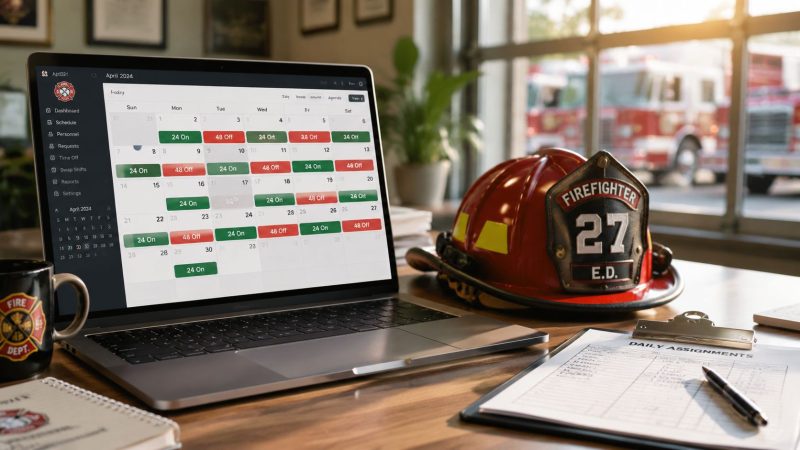
Optimize Your Fire Shift Calendar: 24/48 Patterns & More
The breaking point usually isn't the annual calendar build. It's the last-minute sick call, the trade that never got written down, or the payroll question that lands on your desk after the fact. A paper wall chart or a shared spreadsheet can hold a rotation. It can't reliably manage the exceptions that drive overtime, morale problems, and coverage risk.
A solid fire shift calendar does more than show who's on A, B, or C shift. It becomes the operating record for staffing, leave, swaps, comp time, and the decisions that affect both readiness and budget. If your department is still patching those pieces together with notes, texts, and a spreadsheet someone is afraid to touch, you're carrying unnecessary cost every pay period.
Why Your Paper Calendar Is Costing You More Than Ink
Paper calendars fail in the exact places where fire departments need discipline most. They don't age well under change. The first draft looks clean. Then somebody books vacation, another member trades a tour, training gets added, and a late injury leave changes the whole week. By the time command staff and company officers are all looking at different versions, the calendar has stopped being a schedule and started becoming a rumor.
That confusion carries a price. Not just in extra administrative work, but in avoidable overtime, delayed backfills, payroll disputes, and preventable frustration. If your officer has to call around to confirm who owns a shift, you're already behind. If payroll has to reconstruct the month from notes and texts, the calendar isn't doing its job.
Where the real cost shows up
The hidden expense usually comes from four places:
- Unplanned coverage gaps: Somebody spots a hole too late, and command fills it with the fastest option instead of the cheapest or fairest one.
- Manual rework: Staff re-enter the same information into the roster, payroll sheet, leave tracker, and station calendar.
- Poor exception tracking: Sick time, holidays, comp time, and trades slip outside the main schedule.
- Morale damage: Members stop trusting the process when approvals aren't visible and rules aren't applied consistently.
Practical rule: If your calendar can't answer “who is working, who is replacing them, and what rule authorized the change” in one place, it's not a management tool. It's a reference sheet.
A well-run department needs a fire shift calendar that functions like a control point. It should show the base rotation, capture every exception, preserve an audit trail, and let officers act quickly without guessing. That matters for resilience on the floor, but it also matters for dollars. Every late decision narrows your options. Every narrow option gets more expensive.
Choosing the Right Fire Shift Pattern for Your Department
The calendar won't fix a pattern that doesn't fit your operation. Before you digitize anything, get clear on the rotation you aim to support. Different schedules solve different problems. Some are easier to administer. Some create longer recovery windows. Some fit staffing models better than others.
The most common firefighter rotation in the United States is the 24/48 schedule, which means 24 hours on duty followed by 48 hours off. That creates a repeating three-day cycle and is typically staffed by three platoons, often A, B, and C. It averages about 56 hours per week, while 24/72 averages about 42 hours per week, and 48/96 also averages about 56 hours per week according to this review of firefighter work schedule costs and overtime rules.
Common Fire Shift Pattern Comparison
| Shift Pattern | Structure | Avg. Weekly Hours | Best For |
|---|---|---|---|
| 24/48 | 24 on, 48 off | 56 | Traditional three-platoon staffing and simple repeating rotations |
| 24/72 | 24 on, 72 off | 42 | Departments prioritizing longer off-duty recovery and different staffing coverage models |
| 48/96 | 48 on, 96 off | 56 | Departments looking for fewer commutes and longer blocks off duty |
Budget, wellness, and simplicity don't point to the same answer
A lot of departments stay with 24/48 because it's familiar. It's straightforward to explain, easy to map on a calendar, and officers can usually spot the next platoon in their heads. That matters. A schedule people understand is easier to run consistently.
But familiarity isn't the same thing as fit. In a controlled study of a department changing from 24/48 to 48/96, firefighters in the sample (n = 24) slept about 23 additional minutes per tour and showed 3 to 4% higher sleep efficiency after the change, as reported in the published schedule and sleep study. That's a meaningful operational consideration because the shift pattern affects recovery, not just roster design.
The trade-off is that no department should treat one result as a universal answer. The same research record also reflects a mixed evidence base. There's no clear evidence that 24-hour shifts are categorically better or worse for health than shorter rotations, and different schedules can disrupt circadian rhythms in different ways. That's why schedule decisions have to match local reality. Call volume, commute times, staffing depth, station culture, and relief availability all matter.
What to test before you lock in a rotation
Use practical screening questions:
- Coverage stability: Can you maintain minimum staffing without leaning on emergency callbacks every time leave spikes?
- Fatigue exposure: Are crews getting usable recovery time between demanding tours?
- Payroll clarity: Can finance and command staff explain how the pattern affects regular time, overtime, and leave charging?
- Administrative burden: Can your current system manage the pattern without constant manual correction?
Some departments also need support for nontraditional models. Scheduling tools should be able to handle 24/48, 2-2-3 Panama rotations, California swing shifts, and 4-on/4-off patterns, because those structures show up across fire, EMS, and related public-safety operations, as noted in this overview of firefighter work schedule models.
If you're evaluating software at the same time, look for a tool that supports multiple repeating patterns instead of forcing one rotation style. That matters when your department grows, experiments with a new schedule, or needs to compare options like those found in Resgrid shift features.
Pick the pattern for the staffing problem you actually have, not the one your spreadsheet happens to tolerate.
From Pattern to Practical Calendar Template
Once the rotation is chosen, the next job is turning it into a calendar people can trust. Yet, many departments lose control during this critical phase. The pattern may be sound, but the template is fragile. One bad formula, one copied cell, one missed holiday, and the whole thing starts drifting.
The manual spreadsheet method still works for a small department with a stable rotation and one disciplined person maintaining it. The problem is that most departments don't stay in that condition for long. Leave, training, vacancies, special events, and temporary assignments all put pressure on the template.
Building a manual template that doesn't fall apart immediately
If you're starting in Excel or Google Sheets, keep the structure plain:
- Start with an anchor date. Pick a date you know for certain belongs to a specific platoon.
- Map the full rotation logic. For A/B/C on a 24/48, build the repeating sequence before adding names or exceptions.
- Separate base schedule from exceptions. Don't overwrite the underlying pattern when someone trades or uses leave.
- Use visible coding. Colors can help, but labels matter more than colors when the schedule gets printed or shared.
- Protect core formulas. If everyone can edit the rotation cells, someone eventually will.
That manual setup is serviceable for reference. It's weak for operations. The moment your department starts managing swaps and leave inside the same sheet, the risk of a bad assumption rises fast.
What automation does better
Dedicated scheduling tools reduce that risk by generating the recurring pattern from a known starting point instead of relying on someone to drag formulas across months. Some systems let you enter a start date and a coded pattern where positive values represent work days and negative values represent off days, with optional notes after each segment. That approach can generate a complex sequence such as 4=nights,-3=on call,3=days,-4, as shown in Firehouse's shift calendar generator.

That matters because calendar creation shouldn't consume officer time every month. The system should generate the baseline automatically, then let staff mark exceptions cleanly. A tool like Resgrid can fit that role when a department needs the calendar tied to broader staffing and operational workflows rather than kept as a standalone file.
The template that saves money is the one people stop bypassing
A reusable fire shift calendar should do three things well:
- Generate the recurring rota from one trusted anchor
- Capture exceptions without breaking the base pattern
- Show the same version to officers, members, and administrators
A calendar only saves time if people stop keeping side records. The minute crews start relying on text chains and screenshots, your official schedule has already failed.
The practical test is simple. If a battalion chief, a company officer, and payroll all look at the same shift and reach the same conclusion about who is assigned and why, the template is working. If they need follow-up calls, it isn't.
Managing Swaps Leave and Last-Minute Changes
The base rotation is the easy part. Real fire shift calendar work starts when the first exception hits. A member wakes up sick. Another wants to trade a tour for a family event. Someone's comp time balance affects whether a request should be approved. Basic calendar generators falter when faced with these issues.

A department that handles those changes through phone calls and handwritten notes usually creates the same pattern of chaos. The member notifies one officer. Another officer starts calling for coverage. Payroll hears about the trade later. By the end of the shift, three people think they know what happened, and one of them is wrong.
What a clean process looks like
Industry resources consistently point to the same operational pain points. The hard part isn't knowing the rotation. It's tracking sick time, traded shifts, holidays, vacation, and comp time, as highlighted by Firefighters First Credit Union's shift calendar resources.
A workable process has to answer these questions in order:
- Who requested the change
- What kind of change it is
- Who approves it
- Whether minimum staffing remains intact
- How the hours and leave should be recorded
If that chain isn't built into the system, staff will recreate it informally.
A real-world sick call workflow
Say a firefighter calls in sick four hours before shift start. On paper, that becomes a scramble. The officer checks an old roster, starts calling likely replacements, and tries to remember who already picked up extra time this week. Meanwhile, nobody has a clean record of when the vacancy opened or which options were considered.
In a digital environment, the sick call becomes a transaction instead of a scavenger hunt. The absence is entered, the vacancy becomes visible, and supervisors can identify available personnel through the same staffing record rather than a separate contact list. Departments that want to standardize that process often pair calendar data with personnel records like those found in Resgrid personnel tools.
For departments that are still formalizing policy around requests, approvals, and leave categories, this practical guide for managing shift schedules is a useful reference point because it focuses on the mechanics of handling shift-worker leave rather than just displaying dates.
A short walkthrough helps when you're redesigning this process:
Rules that prevent daily friction
Set clear operating rules and keep them inside the calendar process, not in a separate memo no one checks.
- Require documented approvals: A trade shouldn't count because two members texted each other. It counts when the responsible officer approves it in the system.
- Separate availability from assignment: Somebody willing to work isn't automatically eligible if the move creates another shortage or violates local rules.
- Record exceptions at the source: Don't let vacation, comp time, and sick leave live in separate trackers that have to be reconciled later.
- Make the vacancy visible early: The sooner the opening is known, the more options command has to fill it fairly and with less cost.
If your department handles changes informally, you don't have a staffing process. You have a negotiation culture.
That culture burns time and trust. A digital fire shift calendar doesn't eliminate changes. It makes them traceable, faster to approve, and much easier to audit after the fact.
Optimizing for Full Coverage and Budget Compliance
At 0500, the battalion chief should not be doing math on a whiteboard, checking paper leave slips, and calling payroll to guess whether a callback will blow the overtime line. That is what a weak fire shift calendar creates. A clean digital calendar gives command staff a current staffing picture early enough to make deliberate decisions instead of expensive ones.
That matters because the calendar drives two things at once. It protects minimum staffing, and it exposes labor cost before it hits the budget report. Departments that treat scheduling as clerical work usually pay for it in forced overtime, uneven callbacks, payroll corrections, and preventable fatigue.
The overtime issue is not complicated. Fire schedules often cross Fair Labor Standards Act thresholds, so a bad record turns into a wage and hour problem fast. The U.S. Department of Labor lays out the partial overtime exemption for fire protection employees under section 7(k), including how overtime eligibility is tied to the work period you adopt and track in practice, not the schedule you assume on paper: https://www.dol.gov/agencies/whd/fact-sheets/8-flsa-police-firefighters
Coverage decisions are budget decisions
Some overtime is part of the job. The primary budget damage comes from overtime you did not see coming.
A vacancy identified three days ahead gives you options. A vacancy discovered an hour before shift change gives you whoever answers first, whatever it costs, and another tired firefighter working on short notice. That is bad for the budget and worse for morale.

The calendar should let you see staffing risk before it becomes a callback. That means one view that shows assigned crews, approved leave, training pulls, light duty limits, vacancies, and known special events. If those items live in separate places, supervisors are making coverage decisions with partial information.
What to watch if you want fewer surprises
Use the calendar to manage upcoming pressure points, not just record who worked yesterday.
- Flag thin days early: Watch for dates where leave, Kelly days, training, or vacancies stack on the same company or platoon.
- Track who is approaching extra hours: Officers need to see who is likely to trigger overtime or move into fatigue territory before they make the next fill decision.
- Use a consistent callback sequence: A documented order reduces grievances, spreads extra work more fairly, and keeps officers from defaulting to the same expensive fixes.
- Tie every exception to the shift record: If someone worked over, traded, held over, or got reassigned, the reason should sit with the calendar entry, not in a text thread or notebook.
That last point saves real time during payroll closeout.
Clean records protect money and trust
Departments rarely get in trouble because someone set out to ignore policy. Problems start when the staffing record is split between paper, texts, verbal approvals, and a payroll adjustment made days later. Then finance cannot verify the hours, supervisors cannot explain the decision, and firefighters assume the process is arbitrary.
A solid fire shift calendar gives the department one defensible staffing history. It shows who was scheduled, what changed, who approved it, and what the change cost. That makes budget reviews easier, but it also has a direct effect on morale. Crews will tolerate a lot more inconvenience than they will tolerate inconsistency.
Command takeaway: The shift that costs the least is usually the one you identified early enough to fill with options, not pressure.
Integrating Your Calendar with Department Systems
A standalone calendar is an improvement over paper. It still leaves work on the table. The bigger gains come when the calendar feeds the rest of the department's operating systems. Then it stops being a schedule file and becomes the source of truth for who is available, what they're assigned to, and what that means for the next decision.
The first integration that matters is payroll and timekeeping. If leave, trades, and duty assignments stay disconnected from payroll, someone still has to reconcile them manually. That's where errors and disputes keep showing up. The second is operational messaging. Open shifts, reminders, and schedule changes need to move through the same system people already trust, not a separate communication chain that can be missed.
Why simple tools break down across agencies
This gets even more important during mutual aid, shared events, and regional operations. One of the major unresolved problems with simple fire shift calendar tools is cross-jurisdiction compatibility. They don't reconcile different schedules such as 24/48, 24/72, or a 4-platoon A/B/C/D model across mutual-aid partners, which creates friction during shared operations, as reflected in Houston Fire's department-specific shift calendar example.
That's the key difference between a calendar app and an operational system. A basic generator can tell one department what day its platoon works. It usually can't help neighboring agencies translate that information into shared staffing visibility.
What to connect first

Start with the integrations that reduce duplicate entry and improve response decisions.
- Payroll and leave records: Tie approved schedule changes to the hours and leave categories that finance has to process.
- Dispatch or response readiness views: Supervisors should be able to confirm who is currently on duty, not who was originally scheduled.
- Training and certification records: A member may be on shift but unavailable for a specific assignment if qualifications have lapsed.
- Messaging and alerts: Open shift notifications and change approvals need immediate visibility.
The workflow layer matters too. A request should move from submission to approval to staffing update without requiring someone to re-enter the same information in three places. That's where tools built around operational process, including systems with configurable workflow features for response organizations, become more useful than static calendars.
The operational payoff
Once the calendar is integrated, command staff can answer better questions faster. Not just “who is on duty,” but “who is qualified, who is replacing whom, which vacancy still needs coverage, and what does this change do to payroll and leave balances.” That reduces administrative drag and gives officers confidence that they're acting on current information.
A connected fire shift calendar also makes schedule reform less painful. If your department changes rotations, adds a platoon, or starts coordinating more often with outside partners, the system can absorb that change without forcing everyone back to side spreadsheets and text threads.
A fire shift calendar should reduce manual work, make staffing decisions easier to defend, and give your department one reliable record for scheduling, changes, and operational coordination. If you want that calendar tied into personnel, dispatch, messaging, and workflows in one platform, Resgrid, LLC is one option to evaluate.