
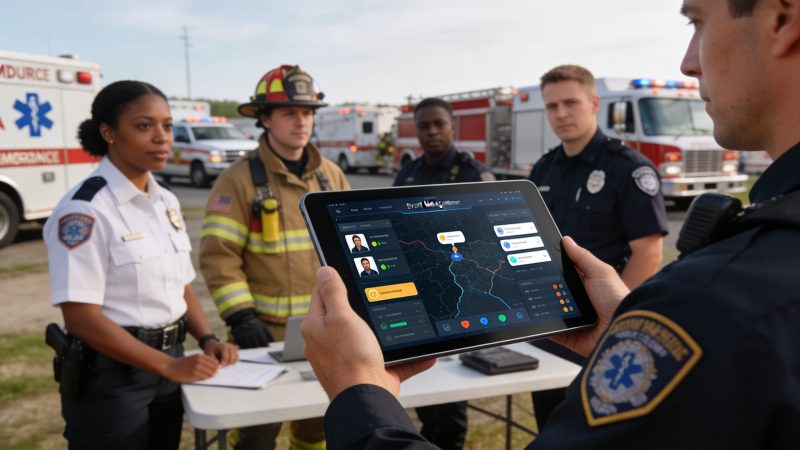
Choosing an Event Management Platform for First Responders
A city festival starts well enough. Traffic posts are staffed. Medical has a treatment tent. Security has a radio channel. Then the crowd shifts after a weather alert, one volunteer team loses contact, and three different supervisors start updating three different spreadsheets. Dispatch knows units are moving, but operations doesn't have a clean view of who is where. Someone sends a text thread. Someone else calls it over radio. Ten minutes later, nobody trusts the board.
That's the moment event organizers realize they don't have an event plan problem. They have a coordination problem.
Generic event software helps with registration, badges, and attendee messaging. Public safety operations need something else. They need a system that treats an event like an incident with schedules, assets, personnel, communications, accountability, and reporting tied together in one operating picture. That is what a real event management platform should deliver when the job includes police details, EMS standby, fire coverage, security patrols, or emergency management.
From Chaos to Coordinated Command
A marathon is a good example because it looks simple on paper and gets messy fast in the field. You've got road closures, hydration stations, medical teams, law enforcement, volunteers, command staff, and outside partners. Every one of those groups has its own rhythm and its own communication habits.
What usually fails first isn't staffing. It's the handoff between systems.
Where operations break down
A police supervisor may have the roster in one app. The event coordinator may have route changes in email. Medical may be tracking standbys on a whiteboard. Security may be using a separate messaging tool. None of those tools are wrong by themselves. Together, they create blind spots.
Common failure points show up again and again:
- Fragmented communications: Radio traffic carries urgent updates, but non-urgent changes get buried in texts and emails.
- Weak accountability: Team leaders know who was assigned at shift start, but not always who redeployed two hours later.
- Slow resource moves: Command can't easily see the nearest qualified unit, available cart, or relief team.
- Poor documentation: After the event, staff spend hours rebuilding a timeline from notes, screenshots, and memory.
That's why field teams still depend on radios, and why guidance on reliable communication for event planning matters. Radios remain the backbone. The problem is that radio alone doesn't create a searchable, shared record of assignments, movements, and decisions.
Practical rule: If your command post needs to ask three people to confirm where a unit is, your system isn't giving you accountability. It's giving you fragments.
What coordinated command looks like
A proper event management platform changes the tempo. Assignments live in one place. Unit status changes update the common picture. Logistics and operations see the same information. Dispatch events, check-ins, messages, and task updates are tied to the event itself instead of scattered across tools.
The biggest shift is confidence. When a security call comes in from Gate C, command shouldn't have to improvise how information moves. The platform should already know the event, the sector, the assigned personnel, the message channel, and the reporting path.
That's the standard public safety teams should use when they evaluate technology.
What Is a Public Safety Event Management Platform
A public safety event management platform is not a ticketing system with a map view added on top. It is a central operating system for planned events and large-scale operations where people, equipment, and time-sensitive decisions have to stay aligned.
It functions as air traffic control for ground operations. The task involves more than just listing the workforce. The objective is to maintain a live view of what is happening, what is changing, and who needs to know next.

The function matters more than the feature list
Most corporate event tools are built around attendees. Public safety platforms are built around operations. That sounds obvious, but it changes everything.
A public safety platform should serve as a single source of truth for:
- Planning: staffing plans, shift assignments, site layouts, staging areas, asset placement, and operational periods
- Live coordination: personnel status, incident tasks, unit assignments, messaging, and location-aware awareness
- After-action work: logs, accountability records, activity history, and reporting for leadership or compliance review
That operating model is why the market has grown beyond simple planning tools. The global event management software market was valued at USD 15.20 billion in 2026, with a projected 9.73% CAGR through 2031, and cloud deployment captures over 71% of the market share, which matters for public safety teams that need elastic infrastructure during surges, according to Mordor Intelligence's event management software market analysis.
How the platform behaves during a live event
A good event management platform acts like a conductor. It doesn't replace every instrument. It keeps each section in time.
That means:
- Dispatch can push an assignment without retyping the same details into another board.
- Operations can see who acknowledged a task and who still needs contact.
- Logistics can track equipment and support requests without calling three supervisors.
- Command can review a clean event timeline instead of reconstructing one after the fact.
A platform earns its keep when conditions change. Staffing an event is planning. Reassigning teams during a weather evacuation is command and control.
What generic software misses
Generic tools can handle registration, volunteer lists, and outbound notices. They usually fail when you need operational accountability. They weren't designed for field units moving between sectors, medical teams escalating cases, or security supervisors coordinating with dispatch.
That distinction matters because planned events often become dynamic incidents without warning. A crowd crush risk, missing child report, severe weather action, or vehicle access issue can turn a routine detail into a coordinated response problem in minutes.
When that happens, the platform has to do more than organize information. It has to move information to the right people fast, preserve context, and leave behind a usable record.
Core Features That Drive Mission Success
An event management platform for public safety should make command simpler under pressure. If a feature doesn't improve accountability, speed, or reporting, it's a nice-to-have.
The following capabilities are the ones that consistently matter in real operations.

Scheduling and staffing control
Shift scheduling is where many teams still leak time and money. Overtime often starts because nobody has a fast way to see who is qualified, available, already assigned, or approaching a time limit.
A solid platform should let supervisors build event rosters, assign positions by role, and make mid-shift changes without editing multiple documents. For a concert detail, that means you can move a traffic post officer to pedestrian control, fill the gap from a reserve pool, and keep the full history of who changed what.
The cost benefit is straightforward. Better scheduling reduces avoidable callback costs, duplicate assignments, and last-minute coverage scrambles.
Personnel tracking and accountability
Personnel tracking isn't about putting dots on a map for the sake of it. It's about knowing which unit is closest, which team hasn't checked in, and whether an exposed crew has support nearby.
For a county fair, that could mean seeing that your bike medic team is already tied up on one side of the grounds while a mobile patrol unit is closer to the next call. Without that visibility, teams default to broad radio requests and slower redeployment.
Field test: If the platform can't answer “who is assigned, who is available, and who is nearest” in one screen, it will slow you down during a surge.
Messaging and dispatch integration
Messaging has to be tied to the operation. If staff are bouncing between SMS threads, consumer chat apps, CAD notes, and radio, important details drift.
Platforms listed in Resgrid's feature set show what an integrated model looks like in practice: dispatching, organization management, messaging, tracking, and reporting in one interface. That matters because event communications should stay connected to the actual assignment, not float around as disconnected conversations.
Modern platforms also benefit from event-driven designs under the hood. According to AWS guidance on event-driven architecture, event brokers act as elastic buffers, decouple systems to handle workload surges with sub-millisecond latency, and can achieve 99.99% uptime. In practical terms, that means a failed notification component doesn't have to take down tracking or other critical workflows.
Reporting and after-action review
Most agencies don't struggle to collect activity. They struggle to reconstruct it later.
A good platform should capture assignment changes, status updates, messages, and resource activity as the event unfolds. That makes after-action review faster and more accurate. It also helps justify staffing requests, identify bottlenecks, and document what support was utilized.
Later in the event lifecycle, seeing the workflow in action helps teams understand where automation and visibility matter most:
Security, compliance, and operational resilience
Public safety buyers shouldn't evaluate software the way marketing teams do. Security controls, role-based access, audit history, and resilience matter because the platform may handle sensitive personnel data, incident notes, and operational plans.
The trade-off is real. Cloud tools are easier to deploy and maintain, but some agencies still need tighter control over hosting and access. The right answer depends on your environment, not on what a vendor demo highlights.
A practical review should include these questions:
- Access control: Can you limit what volunteers, supervisors, dispatchers, and command staff each see?
- Auditability: Can you review who changed an assignment or updated a record?
- Offline tolerance: What happens when a venue has poor connectivity?
- Role fit: Does the tool support field operations, or does it mainly support administrative planning?
Teams save money when they buy fewer disconnected tools and spend less time stitching records together by hand. Mission success follows the same path.
Use Cases and Financial Wins in Public Safety
Evaluating an event management platform solely on setup screens and dashboards is the most significant error buyers make. The critical factor is whether the software minimizes friction during live operations and lessens the cleanup tasks required after the event.
While 85% of event planners use software, most generic platforms still lack integrated dispatch, real-time personnel tracking, or unified emergency communication channels. That creates a serious gap for any event that requires coordinated security or medical response, as discussed in EventsAir's review of nonprofit event management software.

City parade with multiple agencies
Before a unified platform, parade operations often rely on a planning binder, a staffing spreadsheet, radio traffic, and a whiteboard in command. That works until route conditions change and units start moving.
With a public safety-focused platform, command can reassign sector coverage, push updates to the right group, and maintain one operational record. Police, EMS, and event security can work from the same event structure even if each team keeps its own tactics.
The financial win isn't theoretical. Agencies save time by reducing duplicate admin work, cutting overtime caused by poor visibility, and shortening the after-action reporting cycle.
Search and rescue staging operation
Search and rescue often gets overlooked in “event management” discussions, but the same platform logic applies. A base camp, assignment board, comms plan, and resource tracker are event management functions under field conditions.
Before a centralized system, team leads call in updates, scribes update paper boards, and status checks lag. After moving those workflows into one platform, command can see assignments, personnel availability, and equipment usage without chasing separate logs.
That saves money in a few practical ways:
- Less rework: Staff spend less time re-entering assignment data.
- Better deployment: Teams avoid sending the wrong resource because the nearest appropriate one wasn't visible.
- Cleaner documentation: Grant reporting, reimbursement support, and after-action notes take fewer staff hours.
Private venue security and medical standby
A stadium, campus, or large private venue has the same coordination problem as a public event. Security patrols, EMTs, parking teams, and supervisors all need a shared operating picture. If they don't have one, small issues stack up into expensive ones.
A unified platform helps the venue track posts, coverage gaps, and recurring problem areas over time. That supports staffing decisions and contract reviews with actual operational evidence rather than anecdotes.
For teams comparing options, the useful question isn't just “what does it cost per month?” It's “what do we stop paying for if this replaces manual coordination and disconnected tools?” That's where self-service models can matter. Buyers who want to compare contract-heavy platforms against more flexible options can review platform pricing approaches and tiers as part of that calculation.
If a platform removes one standalone messaging tool, one scheduling workaround, and hours of manual reporting after every major event, the savings usually show up in labor first, not line-item software spend.
How to Choose the Right Event Management Platform
Product development groups often find it easy to generate a feature wish list. They struggle to separate operational needs from sales demo polish.
That's why buyers get stuck. Many agencies and nonprofits are told to look for “affordability,” but they get very little concrete guidance on total cost of ownership, implementation time, or training overhead, according to Kannect's discussion of free event management software options. The result is predictable. Teams compare surface features and underestimate the cost of rollout, support, and workarounds.
Start with operational fit
Don't begin with the vendor's feature matrix. Begin with your last difficult event.
Ask what caused friction:
- Coordination gaps: Did dispatch, field supervisors, and event organizers operate from different records?
- Staffing trouble: Did you lose time filling shifts or tracking reassignment history?
- Communication drift: Were critical updates spread across radio, text, and email?
- Reporting burden: Did someone spend the next day rebuilding the timeline manually?
A platform that fits public safety will solve those field problems first. Fancy attendee workflows won't help if command can't maintain accountability.
Evaluate total cost, not sticker price
A lower monthly fee can still produce a higher operating cost if the platform needs heavy setup, paid onboarding, outside consultants, or extra products to fill obvious gaps.
Use this checklist during demos and procurement reviews:
| Criteria | What to Look For | My Rating (1-5) |
|---|---|---|
| Operational alignment | Supports dispatch-linked events, field accountability, and live reassignment | |
| Ease of deployment | Self-service setup, clear admin controls, minimal vendor dependency | |
| Integration readiness | APIs, event support, export options, and clean data flow with existing systems | |
| Training burden | Simple workflows for supervisors, dispatchers, and field personnel | |
| Reporting value | Useful logs, audit trails, and after-action records without manual reconstruction | |
| Security controls | Role-based access, audit history, and environment-appropriate controls | |
| Offline resilience | Sensible behavior in poor-connectivity venues and remote areas | |
| Vendor lock-in risk | Contract terms, migration difficulty, and portability of your data | |
| Support model | Responsive help, documentation, and realistic implementation expectations | |
| Cost replacement potential | Ability to retire other tools or reduce administrative labor |
Watch for procurement traps
Some platforms look inexpensive because the quote excludes the painful parts. That's usually where buyers get burned.
Pay close attention to:
- Implementation dependence: If the vendor has to configure basic workflows for you, expect delays and extra cost.
- Module sprawl: Features split across paid add-ons raise cost and complexity.
- Rigid contracts: Long commitments make it harder to adjust if operations change.
- Weak exports: If your data can't move cleanly, switching later gets expensive.
One useful comparison point is whether the platform supports self-service or open models instead of forcing every change through professional services. If you're weighing different deployment and lock-in trade-offs, use a side-by-side platform comparison view and score it against your own operational checklist rather than vendor language.
Buy for the event you have to command in bad conditions, not the demo you watched in a clean conference room.
The right question to ask vendors
Ask them to show how the platform handles a mid-event change. Move three units. Reassign a supervisor. Notify a subgroup. Log the action. Then pull the record later.
That one exercise tells you more than a polished home page ever will.
Implementation and Integration for Maximum ROI
A platform only pays off if it gets adopted in the field. The fastest way to lose momentum is to launch everything at once and force every team to change workflows on the same day.
Roll out in phases
Start with one operational use case. Planned events are usually the cleanest entry point because the staffing structure is known in advance.
A practical rollout sequence works like this:
- Build the event template: positions, sectors, resources, contacts, and reporting expectations.
- Import the minimum useful data: personnel, teams, equipment lists, and standard assignments.
- Train by role: supervisors need reassignment and accountability workflows. Field users need check-in, status, and messaging.
- Run one event live: keep a fallback method ready, but commit to using the platform for the chosen workflow.
- Review and tighten: identify where users hesitated, where data fields were unclear, and where automation should replace manual steps.
Integrate dispatch first
If the event platform doesn't connect to dispatch or your core incident workflow, people will retype information and stop trusting the data. That's where the largest ROI usually sits.
Adopting event-driven architecture for integration can reduce complexity by up to 50%, and it allows a dispatch event such as “Unit Dispatched” to route automatically to tracking and notification systems without custom polling code, according to SAP's explanation of event-driven architecture. In plain terms, the event itself becomes the trigger. Once dispatch updates the record, the rest of the system responds.
That leads to practical savings:
- Less duplicate entry: dispatch creates the event once
- Fewer missed notifications: downstream systems update automatically
- Cleaner reporting: timestamps and actions stay tied together
- Lower maintenance: fewer custom scripts to babysit
A good implementation discipline is to automate only the handoffs you already understand. Don't wire every edge case on day one. Start with dispatch to assignment, assignment to notification, and status change to reporting. Those three connections usually deliver the earliest return.
Resgrid, LLC offers an open-source, self-service platform for dispatching, messaging, organization management, personnel tracking, and reporting. For agencies, security teams, and event operators that want one system for planned events and operational coordination without contract-heavy rollout, review Resgrid, LLC and test it against your own staffing, dispatch, and after-action requirements.