
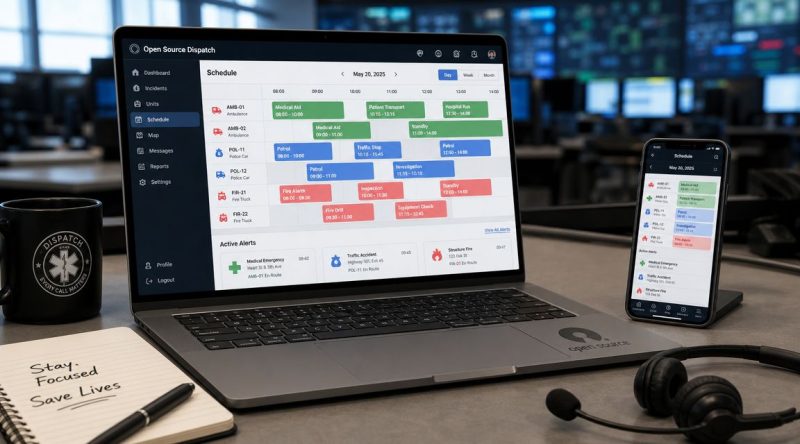
Top 10 Scheduling Software Open Source Options 2026
A dispatch supervisor is trying to fill overnight coverage during a storm response. One agency needs vehicle availability, another needs room access, and a third needs a clean audit trail for every schedule change. The scheduler that worked for simple bookings starts failing as soon as multiple teams, policies, and systems are involved.
Open source scheduling matters here because the problem is rarely just calendar slots. In mission-critical operations, scheduling touches dispatch, staffing, equipment, facilities, notifications, and incident response. Self-hosting can cut recurring software spend, but the bigger benefit is control over data, integrations, security rules, and workflow changes. Teams are not stuck waiting for a vendor to prioritize a field requirement that affects tomorrow's shift plan.
That control comes with real trade-offs. Open-source tools vary widely. Some are built for appointment booking. Some handle resource reservations well. Some reach into workforce management, and a few can support dispatch-style operations if the implementation team is prepared to configure them properly. The practical question is not whether a tool is free to download. It is whether it can match your operating model without creating new manual work for coordinators and responders.
I have seen teams save money by self-hosting, then give it back in labor because they picked software designed for office calendars instead of coverage, callouts, and operational accountability. I have also seen the opposite. A well-matched open-source stack can reduce license costs, avoid vendor lock-in, and give IT full ownership of security posture and data retention. If your shortlist includes operational platforms, start with open-source scheduling and dispatch options from Resgrid.
The tools below are worth evaluating if your requirements go beyond basic meeting scheduling and into resource control, workforce coverage, field operations, or emergency coordination.
1. Resgrid, LLC

Resgrid is the clearest fit here if your problem isn't “how do I let someone book a meeting slot” but “how do I coordinate people, units, messages, incidents, and schedules in one place.” It's built for first responders, dispatch centers, public safety agencies, security teams, and operations-heavy businesses. That matters because most open-source schedulers still assume office work, room booking, or generic employee rostering.
What stands out is the way Resgrid treats scheduling as one part of a larger operational stack. You're not bolting a calendar onto dispatch. You're working inside a platform that combines dispatch and CAD functions, messaging, personnel and equipment tracking, calendar and event management, reporting, and mapping. If your day involves coverage, callouts, unit status, and live coordination, that design is a practical advantage.
Why it works in real operations
Resgrid's strongest differentiator is natural-language dispatch across channels like SMS, WhatsApp, Discord, Slack, Telegram, Teams, and web chat. Teams don't have to memorize rigid commands or bounce between isolated screens to update statuses and coordinate units. In practice, that lowers training friction and reduces the “only the senior dispatcher knows how to drive this system fast” problem that hits many command-heavy tools.
It also gives you deployment choice. There's a free self-hosted path and a hosted option with a low-friction model, which is often the cheapest way to start if you don't want your internal team maintaining infrastructure on day one. If you want the open-source route, Resgrid open-source deployment options make that path explicit.
Practical rule: If a scheduling platform for emergency or dispatch use can't handle messaging, personnel status, and incident context in the same workflow, you'll end up paying for extra glue systems.
Where it saves money and where it doesn't
The obvious savings are avoiding traditional CAD-style lock-in, implementation fees, and per-seat expansion pain. The less obvious savings come from consolidation. If one system covers dispatch, shifts, calendars, reporting, and personnel visibility, you may be able to retire separate tools for at least some of those jobs.
The trade-off is straightforward. Self-hosting and deep customization still require technical ownership. Teams without internal engineering or admin capacity may do better starting on the hosted plan, then moving to self-hosting later if policy or cost requires it.
Best fit: First responders, emergency management, security operations, event operations, and any team that needs scheduling tied to active response.
Watch out for: Procurement-heavy environments that need formal public documentation for audits or certifications should confirm those requirements directly before rollout.
2. Cal.diy

Cal.diy is a good example of where open source scheduling is strongest for developer-led teams. It's a community fork of Cal.com with commercial and enterprise code removed, so you get a fully open-source, self-hostable booking platform that feels familiar if your users already understand Calendly-style flows.
This isn't a dispatch or shift engine. It's a modern booking app for organizations that want control over scheduling pages, event types, and calendar connections without adopting a closed platform. If your engineering team already works in a JavaScript stack, Cal.diy is one of the easier systems to extend without fighting the architecture.
Best use case
Cal.diy works well for internal service teams, consultants, field inspection booking, or public-facing appointment intake where the booking experience matters. It supports booking links, availability windows, and calendar integrations for Google and Microsoft environments through its app setup model. The modern stack also makes it easier to change UI and business logic than many older PHP schedulers.
The cost-saving angle is strongest when your team can self-host and support it with existing skills. If you already run Docker, Postgres, and JS-based applications, adding this platform may cost less than carrying another SaaS contract. If you don't, the savings can disappear into setup, monitoring, and auth work.
- Use it when you need ownership: Good for teams that want no license key dependency and no forced telemetry.
- Skip it when compliance is strict: It doesn't come with the out-of-the-box enterprise depth some buyers expect, especially around SSO and hardened production defaults.
- Treat it as a product foundation: The value is control and extensibility, not full operational coverage.
Self-hosting a meeting scheduler only saves money if your team can patch it, monitor it, and support the login flow without turning every upgrade into a project.
3. Easy!Appointments

Easy!Appointments is what I'd call a practical small-to-mid deployment tool. It handles appointment scheduling cleanly, doesn't pretend to be an ERP, and is usually easier for non-technical staff to understand than broader workforce systems.
For clinics, service counters, inspection offices, consultants, or any team that needs provider-based appointment pages, it does the basics well. Public booking pages, customer records, notifications, and calendar synchronization cover the essential needs of many organizations that don't need a full staffing platform.
What makes it usable
The strength here is speed to value. A team can stand it up on a common LAMP stack, map services to providers, sync calendars, and start taking appointments without a major implementation program. That's important because a lot of scheduling software open source projects become expensive precisely when they require too much setup before anyone can book anything.
Easy!Appointments also offers Google Calendar sync and CalDAV support, which helps if staff already rely on external calendars. Its REST API gives you a path to connect forms, customer systems, or simple internal portals, even if the application itself isn't built as an API-first platform.
A practical deployment example is a municipal office or health-adjacent service that needs online intake without recurring SaaS fees. You can run it internally, expose only the booking frontend, and keep control over your own data retention and backups.
Pros in practice
- Fast deployment: Good when you need an appointment portal live quickly.
- Staff-friendly interface: Easier for front-desk users than heavyweight workforce suites.
- Integration headroom: Enough API access for modest custom workflows.
Cons in practice
- Limited operational depth: It won't replace HR, payroll, or dispatch systems.
- Older stack trade-off: PHP isn't a problem by itself, but some teams prefer a newer development model for long-term extension.
4. TimeTrex Community Edition

TimeTrex Community Edition sits in a different category from lightweight booking tools. This is workforce management, not just scheduling. If you need shifts, attendance, leave, and payroll-oriented workflows tied together, it's one of the more serious open-source options to evaluate.
That broader scope matters because modern workforce scheduling often needs to connect with real-time attendance, payroll synchronization, and external HR systems. Guides covering open-source shift scheduling increasingly frame integrations, REST APIs, modular plugins, and directory services like LDAP or Active Directory as standard design needs, not nice-to-haves (open-source shift scheduling guide). TimeTrex fits that reality better than appointment-only tools do.
Where it earns its keep
TimeTrex makes sense for shift-heavy organizations that would otherwise license separate systems for rostering, attendance, and payroll support. Hospitals, field services, security teams, and round-the-clock operations often need those functions to stay in sync. If a worker swaps a shift, that change shouldn't live in isolation from attendance and leave records.
If your team mostly needs schedule visibility and simple shift coordination, a dedicated platform like Resgrid shift scheduling tools may be lighter to implement. TimeTrex is stronger when scheduling is inseparable from pay and workforce administration.
Field note: Broad suites save money when you actually use the adjacent modules. If you only need a roster, a suite can cost more in admin time than it saves in licensing.
Trade-offs to expect
The main cost isn't the license. It's admin effort. Community Edition is deployable on-premises, but configuration is heavier than with point schedulers, and the interface tends to reflect enterprise depth rather than quick simplicity.
That said, if you're replacing multiple workforce tools, the complexity may be justified. This is one of the few options on the list that can realistically anchor scheduling inside a broader employee operations workflow.
5. MRBS

MRBS earns its place on this list because plenty of operations still need disciplined resource booking, not another all-in-one workplace suite. If a department has to control access to training rooms, emergency operations spaces, pool vehicles, radios, or specialized equipment, a simple self-hosted reservation system often solves the actual problem at much lower cost.
That focus is the reason MRBS has lasted. It handles calendars for shared assets, applies permissions, and supports approval flows without pushing teams toward broader collaboration features they may never use. In public agencies, schools, hospitals, and facilities groups, that restraint matters. The software is easier to justify when the requirement is clear and the data needs to stay inside your own environment.
MRBS also fits organizations that care more about predictable administration than interface polish. LDAP and Active Directory integration can reduce account sprawl and keep access aligned with existing IT controls. For internal deployments, that usually matters more than having a modern-looking booking screen.
The limitation is just as clear. MRBS is a resource scheduler, not an operations planner. It will not replace workforce rostering, field dispatch, or incident coordination tools. If you are scheduling people, coverage, and response capacity across shifts, tools built for dispatch or shift operations will get you further. If you are scheduling rooms, bays, vehicles, and equipment with clear booking rules, MRBS stays efficient and cheap to run.
A practical use case is a city department that needs to reserve meeting rooms, training areas, and shared vehicles across multiple teams. MRBS can replace inbox requests and spreadsheet conflicts without forcing the agency into a subscription platform that stores operational data off-site.
- Best use: Rooms, labs, vehicles, shared gear, recurring space reservations.
- Not for: Shift planning, employee rostering, dispatch coordination.
- Money-saving move: Keep customization light. Mature tools like MRBS are cheapest to own when upgrades stay straightforward.
6. LibreBooking

A public works team that shares vehicles, test equipment, training spaces, and specialty tools usually outgrows a basic calendar fast. The real problem is not putting a reservation on the screen. The problem is controlling who can book what, for how long, under which rules, and with enough auditability that operations do not turn into email disputes.
LibreBooking fits that job well. It is a community-maintained fork in the old Booked and phpScheduleIt family, and that history shows in a useful way. The model is straightforward: define resources, apply booking rules, manage permissions, and track usage without handing operational data to a hosted vendor.
That makes LibreBooking a practical option for organizations scheduling physical assets with real constraints. Vehicles, radios, loaner kits, labs, interview rooms, inspection bays, and training facilities are better examples than ordinary meeting invites. For agencies and teams running mission-critical work, self-hosting also gives IT full control over retention, access, and security reviews.
Where LibreBooking earns its keep
LibreBooking is strongest in the middle tier between a simple room calendar and a full operations platform. It supports the sort of controls that matter once assets are shared across departments: role-based access, approval flows, blackout periods, quotas, notifications, check-in and check-out, and reporting on actual usage.
In practice, that can save money in two ways. First, it cuts subscription spend for a problem you can often solve on your own infrastructure. Second, it reduces asset waste. Shared vehicles and equipment tend to disappear into informal booking habits unless the rules are enforced consistently.
I would use LibreBooking when the scheduling target is the resource itself, not the worker assigned to it.
The trade-off
LibreBooking still carries the operational reality of a PHP application with community support. That is manageable, but it changes the ownership model. If your team heavily customizes themes, plugins, or business rules, upgrades need testing and someone has to own the code and deployment process.
It also has a clear boundary. LibreBooking does not replace dispatch coordination, shift coverage logic, or responder availability planning. A fire service, EMS unit, or utility field team could use it to reserve vehicles, stations, training rooms, or specialized equipment. They would still need a separate system for live staffing and incident response.
Used with that scope, LibreBooking stays cost-effective and predictable. Forced into workforce scheduling, it gets expensive in workarounds very quickly.
7. Nextcloud + Calendar app

If your organization already runs Nextcloud, adding the Nextcloud Calendar app is often the cheapest scheduling decision you can make. Not because it's the most advanced scheduler on this list, but because it rides on infrastructure, accounts, and admin practices you already have.
That single-admin-surface effect matters. Files, contacts, mail, chat, and calendars under one login are easier to support than a pile of disconnected tools. For internal scheduling, invitations, and shared calendars, this can be more valuable than feature depth.
Where it fits and where it doesn't
Nextcloud Calendar handles personal and shared calendars, invitations, updates, and CalDAV sync with common mobile and desktop clients. It's a solid choice for internal coordination across departments, especially when privacy and self-hosting are priorities.
It is not a specialized shift engine. It is not a dispatch scheduler. It is not a replacement for workforce logic with coverage rules, qualifications, payroll sync, or responder availability. If you try to force it into those roles, you'll spend more on process workarounds than you save on licensing.
A lot of self-hosted scheduling projects fail because teams pick the system they already know, then ask it to solve a different class of problem.
A good example is a public agency that already uses Nextcloud for document collaboration and needs shared duty calendars, facility events, and internal meeting coordination. In that case, using Calendar keeps cost low and administration simple. If the same agency also runs field operations, it should pair Nextcloud with a purpose-built operational scheduler rather than stretching calendar shares beyond their limits.
8. Rallly

Rallly solves a very specific scheduling problem. You need to find a time across a group, often including people outside your organization, and you don't want to manage user accounts or expose your internal scheduling system.
That sounds simple, but it's a real gap. Many teams buy or build far more software than needed when the actual bottleneck is just collecting availability from a mixed group of participants.
Best used as a companion tool
Rallly is best when external coordination is messy. Think volunteer groups, inter-agency planning calls, advisory boards, training sessions with partners, or public stakeholder meetings. A Doodle-style poll is often better than trying to create temporary accounts in your core system or emailing everyone back and forth.
Its self-hostable option matters for organizations that can't or won't route scheduling polls through third-party hosted platforms. The interface is light, mobile-friendly, and easy for participants to use without learning anything.
The mistake is treating Rallly like a full scheduler. It isn't one. It won't manage shifts, dispatch, leave, or coverage. It won't act as your operational source of truth. It finds consensus times, then hands off to your real calendar or scheduling platform.
Where it saves money
- Reduces tool sprawl: You don't need a heavy booking suite just to coordinate occasional group availability.
- Cuts admin overhead: External people can respond without onboarding.
- Preserves internal systems: Your production scheduler stays separate from public or partner-facing polling.
If you already have a strong internal scheduling system, Rallly can be the low-friction front door for groups that shouldn't be inside it.
9. ERPNext

ERPNext is the right answer when scheduling is tied tightly to business process. Not loosely related. Tightly tied. If an appointment affects billing, inventory, CRM records, employee shifts, or service workflows, an ERP-backed approach can make more sense than stitching separate tools together.
That's especially true in healthcare-adjacent settings, field service, and any environment where a scheduled event triggers downstream work. A standalone booking tool might capture the appointment, but ERPNext can keep that record connected to broader operations.
When the extra weight is worth it
ERPNext includes appointment objects, calendars, practitioner schedules, employee shift and leave tools, permissions, workflows, and cross-module reporting. The value is less about any single scheduling feature and more about what happens after a schedule is created. If a customer appointment needs to drive invoicing or stock handling, integration by design beats bolt-on syncs.
This also aligns with where the broader market is going. The global appointment scheduling software market was valued at USD 470.79 million in 2024 and is projected to reach USD 1,804.34 million by 2033, with North America holding the largest market share. That same market analysis notes that open-source solutions are often the low-capital option for small-scale users and individuals (appointment scheduling software market analysis). ERPNext sits on the more operational end of that spectrum.
For staffing-aware environments, tying appointments to workforce context matters. If that's your concern, compare ERPNext's model with systems focused more directly on responder and staffing visibility, such as Resgrid personnel management.
The downside
ERPNext is heavier than point tools. If all you need is “book a room” or “let clients pick a slot,” it's too much. But if you're already paying for separate systems to handle appointments, records, workflow, and follow-through, consolidating around ERPNext can cut long-term software sprawl.
10. OptaPlanner

OptaPlanner isn't an end-user scheduler. It's a constraint-solving engine. That distinction matters because some of the hardest scheduling problems can't be solved well by picking a prettier calendar app.
If your scheduling rules include certifications, labor constraints, rest windows, fairness rules, location requirements, equipment dependencies, or complex assignment logic, OptaPlanner is the kind of tool that can model those constraints instead of forcing staff to manage them manually.
Why technical teams choose it
This is the power tool for custom scheduling. It ships with an employee rostering example, but its real value is that it lets developers embed optimization logic into a custom system. For logistics, call centers, public-safety-style staffing, or asset assignment problems, that can be far more effective than trying to bend a generic scheduler into shape.
The underserved question in open-source scheduling isn't just whether a tool is flexible. It's whether it can support secure, scalable, integrated production use without hiding maintenance cost. Existing guidance on open-source scheduling emphasizes customization, APIs, plugins, and self-hosted control, but leaves deployment effort, upgrade burden, and internal staffing requirements largely unquantified (open-source scheduling implementation realities). OptaPlanner makes that reality impossible to ignore. It's powerful, but you are building a solution, not installing one.
Practical buying advice
Choose OptaPlanner when your scheduling complexity is the product. Don't choose it because you want to avoid buying a standard scheduler. The development effort is only justified when off-the-shelf workflows keep failing your operation.
A good pattern is pairing a planner like this with an operational front end that handles user actions, approvals, notifications, and visibility, while the engine handles assignment logic in the background. That's where custom open source can outperform closed systems, but only when the problem is sufficiently complex.
Top 10 Open-Source Scheduling Tools: Feature Comparison
| Solution | Core features | UX & Reliability (★) | Pricing & Value (💰) | Target audience & Standouts (👥 / ✨ / 🏆) |
|---|---|---|---|---|
| Resgrid, LLC 🏆 | Dispatch/CAD, voice & chat messaging, AVL tracking, shifts, reporting, API | ★★★★★ real-time, AI-native NL dispatch | 💰 Free self-host + low-cost hosted, no contracts | 👥 First responders & dispatch centers; ✨ NL cross-platform dispatch (SMS/WhatsApp/Slack/etc.), open-source, modular 🏆 |
| Cal.diy | Booking links, event types, Google/MS calendar integrations, Docker/Postgres | ★★★★☆ developer-friendly modern stack | 💰 MIT-licensed free; self-host ops cost | 👥 JS teams & power users; ✨ Fully open-source Cal.com fork, easy to extend |
| Easy!Appointments | Public booking pages, Google Calendar/CalDAV sync, customer notifications, REST API | ★★★★☆ simple UI for non-tech staff | 💰 Free OSS; LAMP deployment effort | 👥 Small businesses & providers; ✨ Quick to deploy, strong calendar sync |
| TimeTrex Community Edition | Shift rostering, time & attendance, leave, payroll, mobile/web access | ★★★☆☆ feature-rich but heavier setup | 💰 Free community, paid modules/support available | 👥 24×7 orgs needing payroll + rostering; ✨ Broad workforce management suite |
| MRBS | Resource calendars (day/week/month), permissions/approvals, iCal, LDAP | ★★★☆☆ mature & reliable | 💰 Free OSS, low running cost | 👥 Education & public sector; ✨ Focused, dependable room/resource booking |
| LibreBooking | Multi-resource reservations, waitlists, quotas, RBAC, reporting, plugins | ★★★★☆ modernized Booked UI | 💰 Free OSS; community support | 👥 Orgs needing flexible resource rules; ✨ Active fork with plugins and theming |
| Nextcloud + Calendar | Personal/shared calendars, CalDAV sync, invites, Nextcloud integration | ★★★★☆ familiar calendar UX within ecosystem | 💰 Free OSS; infra & hosting cost | 👥 Existing Nextcloud users; ✨ Unified files/chat/contacts+calendar admin |
| Rallly | Group scheduling polls, availability collection, mobile-friendly | ★★★★☆ very low friction | 💰 Free/self-host; hosted options vary | 👥 Groups & external participants; ✨ No-account polling, great for find-a-time |
| ERPNext | Appointments, practitioner schedules, HR, billing & inventory integration | ★★★☆☆ powerful but heavyweight | 💰 Free OSS; implementation & hosting cost | 👥 Org needing ERP + scheduling; ✨ Deep cross-module integration (billing, inventory) |
| OptaPlanner | Constraint-solving engine, optimization algorithms, example rostering app | ★★★☆☆ excellent engine, not OOTB UI | 💰 Free Apache; development effort required | 👥 Developers & enterprises with complex constraints; ✨ Advanced optimization toolkit |
Your Action Plan for Open Source Scheduling Success
Open-source scheduling pays off when you match the tool to the work, not when you chase the broadest feature list. That sounds obvious, but it's where most wasted budget comes from. Teams buy a suite for a booking problem, or they install a booking app and expect it to run a round-the-clock operation. Both mistakes create hidden cost fast.
The most important split is this. Are you scheduling people, resources, appointments, or live operations? Those are related, but they aren't the same. A room-booking tool can't manage responder availability. A meeting poll won't run a shift roster. An ERP can do a lot, but it may bury a simple use case under setup and admin overhead.
There's also a market reason to take the category seriously. Open source remains attractive because it's often the low-capital option, especially for smaller deployments, and the wider scheduling market is growing. But lower purchase cost doesn't automatically mean lower total cost. Existing coverage of open-source scheduling keeps emphasizing flexibility, customization, self-hosting, APIs, and data control, while leaving open the harder questions around maintenance burden, secure deployment, upgrades, and who inside your team will own the system. That's where implementation discipline saves money.
Here's the practical short list by scenario:
- For first responder dispatch and operations: Start with Resgrid. It's the best fit here because scheduling is tied directly to dispatch, messaging, personnel, and live coordination.
- For complex workforce scheduling: TimeTrex is the stronger out-of-the-box option when shifts, attendance, leave, and payroll logic belong together.
- For custom rules-heavy optimization: OptaPlanner is the right choice when normal schedulers can't model your constraints.
- For rooms, vehicles, and shared equipment: LibreBooking and MRBS are both proven options. Pick LibreBooking if you want more flexibility and reporting depth. Pick MRBS if you want a simpler, stable booking layer.
- For internal calendars in an existing collaboration stack: Nextcloud Calendar is usually the lowest-friction answer.
- For appointment intake and service bookings: Easy!Appointments is a sensible lightweight choice.
- For self-hosted booking links with a modern web stack: Cal.diy is the better fit for developer-led teams.
- For scheduling polls with outside participants: Rallly is the cleanest complement to a core scheduling system.
- For scheduling tied to billing, CRM, or inventory: ERPNext earns its complexity when those cross-system links matter.
A low-risk migration path works better than a big-bang replacement. Pilot one team, one station, one resource pool, or one appointment workflow first. Export your current data early and test imports before anyone promises a cutover date. Verify identity integration, notifications, backups, and permissions before you worry about cosmetic customization.
The biggest money-saving move is restraint. Don't customize what you can configure. Don't self-host if your team can't maintain the stack reliably. Don't buy enterprise complexity to solve a basic booking problem. And don't leave a mission-critical operation on a closed platform if it blocks integration, slows changes, or keeps your own data at arm's length.
Open source scheduling works best when you treat it like operational infrastructure. Pick the narrowest tool that fully solves the core problem. When the mission is bigger than a calendar, that choice matters a lot.
If your team needs scheduling tied to dispatch, personnel status, messaging, and real operational response, Resgrid, LLC is the open-source platform to shortlist first. It gives you a path to self-host, avoid vendor lock-in, and consolidate critical workflows without forcing you into a proprietary CAD stack.