
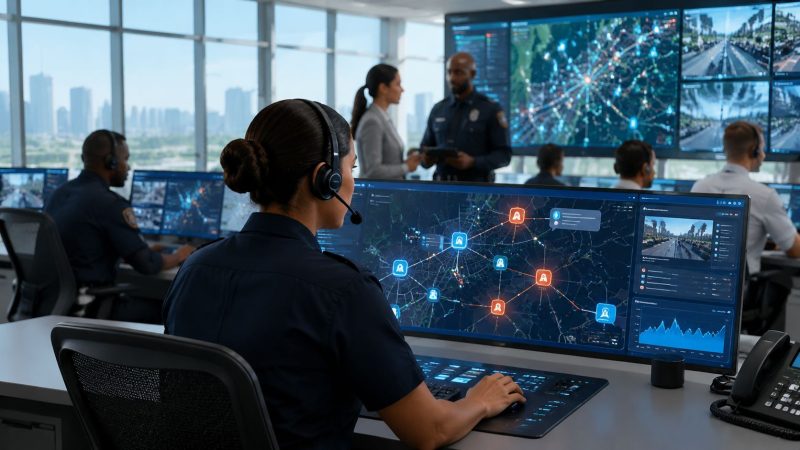
Public Safety Solutions a Modern Guide for First Responders
At 2 a.m., nobody cares how polished a product demo looked. They care whether the right unit got the call, whether the address was correct, whether anyone can see who's available, and whether the person on scene has enough information to make a good decision fast.
That's where most public safety operations still break down. Dispatch has one system. Field crews have another. Supervisors are texting workarounds. Logs get updated later, if they get updated at all. When an incident expands, the gaps show up immediately as duplicate assignments, missed updates, long radio traffic, and crews burning time hunting for information that should've been attached to the call from the start.
A good public safety solution fixes that. Not with flashy features, but by putting dispatch, communication, tracking, and reporting into one operating picture that crews can effectively use under stress.
Bringing Order to Chaos in an Emergency
A dispatcher takes a call for a vehicle crash with injuries near a school zone. Fire is toned out. EMS is paged. Law enforcement is notified. A supervisor asks for traffic control. Someone else wants a staging location. Then the caller says a second vehicle may have left the scene.
In a fragmented setup, that turns into a mess fast. One address lives in CAD. Unit status is tracked on a whiteboard. Mutual aid contact numbers are buried in a spreadsheet. The after-action report gets built from radio playback and memory. Every handoff adds friction, and friction is what slows response.
An integrated public safety platform changes the shape of that incident. The call comes in once. Units are assigned once. Status updates, notes, maps, personnel tracking, and incident logs stay attached to the same event record. If a chief, dispatcher, or team lead opens the incident, they're looking at the same operating picture.
That shift isn't niche anymore. The global public safety and security market was estimated at USD 575.05 billion in 2025 and is projected to reach USD 981.84 billion by 2030, showing how central these technologies have become to modern operations, according to MarketsandMarkets public safety and security market analysis.
For smaller agencies, volunteer organizations, school districts, hospitals, and private security teams, the lesson is simple. You don't need a giant city budget to benefit from better operational control. You need fewer disconnected tools and clearer workflows. That's why teams increasingly start with practical capabilities like dispatching and unit coordination tools before they chase advanced add-ons.
Practical rule: If your team has to re-enter the same incident details in multiple places, your system is costing you time during the exact moments when time matters most.
What Exactly Are Public Safety Solutions
Public safety solutions are the central nervous system for emergency operations. They connect the people taking information, the people making decisions, and the people responding in the field.
That's the simplest useful definition.

One operating picture instead of five partial ones
Older setups usually evolved piece by piece. Radio stayed separate from scheduling. Mapping stayed separate from reporting. Messaging happened in text threads. Shift rosters lived in email attachments. None of that feels catastrophic on a calm day. During a storm, active incident, campus lockdown, or search operation, it becomes expensive and dangerous.
A modern platform pulls core workflows into one environment:
- Dispatch and call handling so incidents start with structured information
- Messaging and notifications so updates reach the right people without side-channel confusion
- Personnel and asset tracking so supervisors know who and what is available
- Reporting and records so the incident produces usable documentation as work happens
- Analytics and review so leaders can improve staffing, routing, and policy over time
This isn't just convenience. Unification removes duplicate data entry, cuts preventable mistakes, and lowers the hidden labor cost of managing separate systems that don't talk to each other.
Why integration matters more than feature count
Teams often buy based on a long feature checklist. That's a mistake. The key question is whether the system keeps information moving cleanly from intake to action to documentation.
A platform can have every bell and whistle in the catalog and still fail if dispatch can't update field crews quickly, if supervisors can't audit decisions, or if reports require manual cleanup at the end of every shift.
That same design principle shows up in other safety-critical fields. In aviation technology, a lot of value comes from reducing cockpit workload, not from adding more screens. Public safety works the same way. If a tool increases cognitive load during a live incident, it's not helping.
The best public safety solutions don't just collect data. They reduce the number of decisions crews have to make twice.
What smaller agencies should care about
Smaller teams should ignore the pressure to buy “enterprise” complexity they won't use. Start with the basics that save labor and reduce confusion:
| Need | What to look for |
|---|---|
| Fewer missed updates | Shared incident notes and real-time status changes |
| Less admin time | Reports that populate from incident activity |
| Better use of staffing | Clear availability, shift, and unit tracking |
| Lower tool sprawl | Built-in messaging, mapping, and logs in one place |
That's usually where the operational ROI shows up first.
The Core Components of a Modern System
A modern public safety system isn't one feature. It's a set of connected functions that support the whole incident lifecycle. If one part is weak, crews end up compensating with radios, phone calls, sticky notes, and memory.

Dispatch that assigns work cleanly
Dispatch is still the heart of the operation. A solid system should create incidents fast, attach notes and locations immediately, show unit availability, and log status changes without extra clicks.
For a volunteer fire department, that might mean faster acknowledgement and cleaner staffing visibility. For a hospital security team, it means knowing which officer is closest to a disturbance call. For an event operation, it means routing the right team to the right gate without turning the radio channel into clutter.
The money-saving angle is straightforward. Better assignment reduces unnecessary movement, avoids duplicate dispatches, and cuts the overtime that comes from poor visibility into who's already committed.
A practical place to evaluate this is a public safety feature set that combines dispatch, tracking, and reporting instead of forcing teams to bolt separate products together.
Messaging that doesn't depend on workarounds
Teams always communicate. The question is whether communication stays attached to the incident. If crews rely on personal texts or ad hoc chat groups, supervisors lose visibility and records become incomplete.
Good messaging tools support direct updates, team notifications, and incident-linked communication. That matters for accountability, but it also saves time during handoffs. Shift relief can see what happened without interviewing three people and replaying radio traffic.
Tracking that improves deployment decisions
Real-time tracking isn't about watching dots move on a map for the sake of it. It helps dispatch send the closest appropriate resource, helps command understand coverage gaps, and helps organizations account for personnel and equipment during extended operations.
This can save money in quiet ways. Dispatching the closest suitable unit can reduce unnecessary mileage and fuel use. Better asset visibility also helps agencies avoid buying duplicate equipment because nobody can find what they already own.
Detection and integrations that cut time-to-awareness
The strongest systems don't stop at manual input. They ingest alerts from other tools and move them straight into operations.
One useful example is incident detection. SoundThinking says ShotSpotter can detect and triangulate gunfire within 90 feet and automatically push alerts into CAD systems, real-time crime centers, and mobile devices, which reduces time-to-awareness for responding units according to SoundThinking's discussion of technology modernization in public safety.
That matters because every minute crews spend searching for where something happened is a minute not spent assessing victims, securing a scene, or stopping escalation.
Reporting and analytics that pay for themselves
Reporting is where a lot of systems fail unnoticed. If personnel have to rebuild the incident after the fact, reports will be delayed, incomplete, or inconsistent.
A better setup captures timestamps, unit actions, notes, and status changes as the incident unfolds. Then reporting becomes review and completion, not reconstruction.
Here's what works in practice:
- Auto-populated reports: Pull incident details from dispatch activity so responders aren't typing the same facts again.
- Searchable records: Make previous incidents easy to retrieve for follow-up, compliance, or internal review.
- Actionable analytics: Show repeat call types, staffing pressure points, and response bottlenecks leaders can address.
- Role-based access: Let supervisors, dispatchers, and field teams see what they need without exposing everything to everyone.
Buy the platform that reduces end-of-shift cleanup. That's where labor savings become visible fast.
Key Benefits and How to Measure Success
The biggest mistake agencies make is buying software and calling the purchase the improvement. Software is only useful if it changes operational outcomes.
The right public safety solution should produce gains in three places. First, crews get better information earlier. Second, supervisors make cleaner deployment decisions. Third, the organization spends less time on avoidable admin work and operational rework.
The benefits that actually matter on shift
Response speed matters, but it isn't the whole story. A faster response to the wrong location or with the wrong resource isn't a win.
What usually improves first with an integrated system:
- Cleaner dispatch decisions: Unit status, maps, and incident context are visible in one place.
- Less radio congestion: Crews can receive routine details in-system instead of asking for repeats over the air.
- Better handoffs: Incoming shifts and assisting agencies can see incident history without piecing it together manually.
- Lower administrative drag: Reports and logs start building during the call instead of after the scene clears.
- Fewer subscription overlaps: Agencies can retire narrow tools that only handle one part of the workflow.
How to measure whether it's working
Zencity outlines a useful framework for measuring public safety outcomes through metrics such as crime rates, response times, case resolution, recidivism, resident trust, use of force, and mental health or substance-abuse intervention outcomes, and recommends reviewing those performance metrics at least annually in its guidance on measuring public safety for state governments.
That matters because it forces agencies to define success before procurement. If you don't decide what should improve, vendors will fill the gap with feature talk.
A practical scorecard might look like this:
| Operational goal | Useful measure |
|---|---|
| Faster field awareness | Response times and dispatch-to-enroute intervals |
| Better follow-through | Case resolution or incident closure quality |
| Community confidence | Resident trust and complaint trends |
| Smarter crisis response | Outcomes for mental health or substance-abuse interventions |
How to build a basic ROI case
You don't need a finance department to make a good business case. Start with the avoidable costs you can already see.
- List the duplicate tools you're paying for now. Messaging apps, scheduling software, separate tracking tools, and reporting workarounds all count.
- Estimate labor lost to re-entry and reconciliation. If dispatch, field notes, and reports don't line up automatically, staff time is being consumed somewhere.
- Identify failure costs. Missed notifications, delayed mutual aid calls, and poor asset visibility create overtime, unnecessary travel, and preventable confusion.
- Tie spending to outcomes. If the system doesn't improve a tracked metric, it's probably adding complexity rather than reducing it.
Field test: If supervisors still rely on side spreadsheets after rollout, the platform hasn't really become your system of record.
Real World Use Cases You Can Use
Public safety solutions aren't only for large metro agencies with dedicated IT departments. Smaller teams often see the biggest operational gains because they start with fewer staff and less room for error.
A live platform view helps make that concrete.

Volunteer fire department with thin staffing
A volunteer department doesn't need an expensive maze of modules. It needs to know who's available, who acknowledged, what apparatus is staffed, and how to keep incident notes in one place.
In practice, a workable setup looks like this:
- Call intake linked to staffing visibility: Officers can see whether they have enough people to commit initial resources.
- Simple mobile updates: Volunteers can acknowledge, update status, and see incident details from the field.
- Automatic incident logs: The department spends less time rebuilding what happened for reports and reviews.
Low-friction software is particularly important. If a volunteer has to fight the interface, they won't use it consistently.
Corporate security team covering a campus or facility
Corporate security teams have many of the same problems as municipal responders. They receive calls, route units, manage access issues, document incidents, and escalate to outside agencies when needed.
A practical deployment often focuses on trespass calls, medical assists, parking incidents, workplace threats, and after-hours alarms. The cost savings usually come from consolidating dispatch, messaging, and reporting into one workflow rather than splitting them across radios, spreadsheets, and separate incident tools.
One option in this category is Resgrid, which provides dispatching, messaging, personnel management, tracking, and reporting in a single platform for first responders and organizations that need operational coordination.
Co-response and non-police crisis routing
One of the most important use cases today is low-acuity call routing. Many cities are building non-police response models where dispatch systems are critical for triaging 911 calls and routing them to civilian responders, connecting people to housing, healthcare, and crisis services instead of law enforcement, as discussed in Data-Smart's review of expanding beyond policing.
That sounds simple on paper. Operationally, it depends on three things:
| Requirement | Why it matters |
|---|---|
| Reliable triage rules | Dispatch needs a clear path for which calls go where |
| Responder availability | Civilian teams must be visible in the same dispatch picture |
| Referral continuity | The handoff to services can't end when the first responder leaves |
A lot of programs fail not because the idea is wrong, but because the routing logic, staffing visibility, and service connections are weak.
This walkthrough gives a useful sense of how dispatch workflows can be structured in practice:
A Practical Guide to Implementation and Procurement
Most bad technology buys happen before the contract is signed. Agencies shop by demo, buy by feature list, and discover later that the system doesn't fit field workflow, can't integrate cleanly, or becomes too expensive once training, support, and add-ons show up.
A better procurement process starts with operational pain, not vendor language.

Start with failure points, not wish lists
Ask dispatchers, supervisors, and field personnel the same question: where does the workflow break today?
You'll usually hear some version of the same answers. Information gets entered twice. Unit status is unreliable. Reports take too long. Mutual aid coordination is messy. Messaging is fragmented. Those are procurement requirements. “AI-enabled ecosystem” is not.
Use this short screen when building your requirements:
- Critical workflow first: Can the platform handle intake, assignment, status changes, and reporting without side systems?
- Integration reality: Will it connect to the systems you must keep, or are you being pushed toward a closed stack?
- Mobile usability: Can crews operate it quickly with gloves, stress, and poor connectivity in the mix?
- Admin control: Can your own team manage users, forms, roles, and settings without paying the vendor every time?
Calculate total cost, not sticker price
The cheapest quote often becomes the most expensive deployment. Price the whole life of the system.
Look beyond license fees and ask about setup costs, migration work, training burden, support tiers, storage, custom reporting, API access, and what happens when you need more users or integrations. Also ask what the product allows you to stop paying for elsewhere.
Vendor lock-in usually begins imperceptibly. Proprietary data structures, expensive extraction, limited export options, and paid consulting for basic configuration all make future change harder.
A platform is affordable only if you can operate it, adapt it, and leave it without a financial penalty.
Pilot narrowly, then roll out in phases
Don't launch everything everywhere at once. Pick one team, one shift, one facility, or one incident type.
A useful pilot should answer:
- Does dispatch move faster with fewer workarounds?
- Do field users update status and notes in real time?
- Are reports easier to complete at the end of the incident?
- Can supervisors review activity without asking for separate logs?
If the pilot works, expand in phases. That gives you room to refine forms, permissions, alert rules, and training before the whole organization depends on them.
Be careful with AI deployment
AI can help, but only when it's deployed under operational control. EENA's guidance for PSAPs and emergency operations centers says AI is most effective when integrated into agency-managed systems such as CAD rather than used as standalone tools, reducing security risks while supporting practical functions like call transcription, chatbot triage for non-emergency inquiries, and staffing prediction during peak volumes in EENA's guide to getting started with AI in public safety.
That aligns with what works in the field. Keep automation close to your audited systems. Don't bolt sensitive workflows onto consumer-grade tools just because the demo looked fast.
Train for adoption, not just access
A rollout fails when the team technically has accounts but doesn't change behavior. Training has to cover live incident use, not just menu navigation.
Give each role a small set of must-do actions:
- Dispatchers: create, update, assign, and close incidents consistently
- Field users: acknowledge, change status, read notes, and submit updates
- Supervisors: monitor coverage, review logs, and correct workflow drift
- Admins: manage templates, permissions, exports, and support processes
Then review usage after real incidents, not just in classroom settings.
The Future of Public Safety and Your Next Steps
Public safety is moving toward tighter integration, better operational visibility, and more automation inside controlled systems. AI, connected sensors, mobile workflows, and real-time mapping will keep evolving, but the underlying requirement won't change. Teams need one reliable operating picture they can trust under pressure.
That matters just as much for a volunteer company, private security team, school district, or emergency management office as it does for a major city. The winning approach usually isn't buying the most complex suite. It's choosing a system that fits your staffing, supports your actual workflows, and won't trap you in expensive dependencies later.
A good next step is simple. Audit one recent incident and trace every handoff. Where was information re-entered? Where did crews use side channels? Which updates were delayed? Which reports were rebuilt manually? If you map those failure points, your requirements will become clear.
If you're evaluating advanced automation as part of that future, it's worth reviewing how AI features for coordinated emergency operations fit into a controlled, agency-managed workflow rather than standing apart from it.
If your team is re-entering incident data, juggling separate tools, or struggling to keep dispatch, field operations, and reporting aligned, take a look at Resgrid, LLC. It offers a unified platform for dispatching, messaging, tracking, and incident management, with self-service deployment options that can suit agencies and organizations that need practical coordination without a heavy implementation model.