
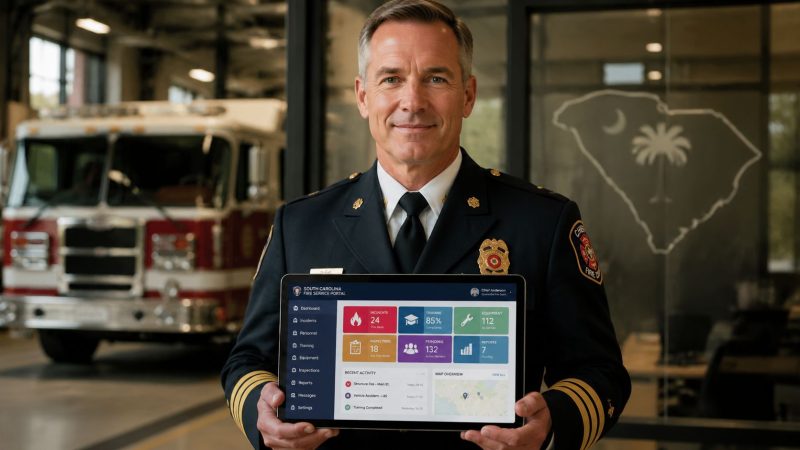
SC Fire Portal: A Complete Guide for First Responders
If you're the person in the department who handles reports, training records, and state paperwork, you already know the problem. A crew can be sharp on the fireground and still get bogged down in the office because nobody has a clean process for certifications, annual forms, and state-required data. The work is necessary, but it pulls chiefs, training officers, and admin staff away from readiness.
That's where the SC Fire Portal matters. Used correctly, it helps a department keep its official records straight without relying on spreadsheets, paper folders, or someone's memory. Used poorly, it becomes one more login that only one person understands.
The practical goal is simple. Use the state portal for what it is meant to do, then stop trying to force it to do jobs it was never built for. That distinction saves time, prevents duplicate data entry, and reduces the scramble before deadlines. It also helps when you're training newer officers who suddenly inherit reporting duties with no handoff.
That same mindset applies beyond reporting. Good departments connect admin work to prevention, documentation, and member safety. For example, when you're reviewing injury education materials for public outreach or after-action discussions, a plain-language resource like the Scher, Bassett & Hames burn injury guide can be useful because it explains common burn types and causes in terms non-clinicians can quickly follow.
Your Essential Tool for South Carolina Fire Service
The SC Fire Portal matters because it gives South Carolina departments an official place to handle state-facing fire service tasks. For a volunteer company, that can mean keeping annual paperwork from slipping through the cracks. For a municipal department, it usually means having a cleaner way to manage records that multiple people touch over time.
The biggest mistake I see with state portals is treating them like optional admin software. They aren't. They are part of how a department stays aligned with state processes, and that means the portal belongs in your regular operating rhythm, not in a once-a-year panic session.
Where departments lose time
Most delays come from process problems, not technology problems.
- One person owns everything: If only the chief or one admin knows the portal, every absence creates a bottleneck.
- Records live in multiple places: Training certificates, member status changes, and required forms get split across email, binders, and local files.
- Reporting gets delayed until deadlines: That usually means rushed entries, missing details, and extra follow-up later.
- Nobody builds a handoff routine: When staff changes, the next person starts from scratch.
Practical rule: Build a monthly portal check into command staff or admin workflow. Short, regular review beats a large cleanup every quarter.
What works in the real world
Departments get more value from the portal when they keep its role narrow and disciplined. Use it as the official channel for state-facing records and required submissions. Keep a simple internal checklist for who updates what, when, and from which source document.
A workable setup often looks like this:
- Assign portal responsibility by function, not by person. One role handles training records, another handles annual reporting review.
- Collect source information first. Don't log in and start hunting for paperwork mid-entry.
- Use the same naming and filing habit every time. If supporting documents are organized, portal work gets faster.
- Review before submission. A two-minute check catches avoidable errors.
That approach saves money in a very practical way. It cuts down on duplicate admin time, prevents avoidable rework, and reduces the chance that someone has to spend overtime fixing missed compliance items at the last minute.
What Is the SC Fire Portal
A chief approves a roster change, the training officer needs to confirm course status, and someone in admin is trying to make sure the department's state-facing records match what is happening on the floor. That is the lane the SC Fire Portal serves. It is South Carolina's official Fire Marshal Portal of Services, built for authorized fire service and related agency users handling formal records, reporting, and state processes.

That distinction matters because departments often expect one system to do everything. The portal does not fill that role. It functions as an official system of record inside the state fire structure. Day-to-day crew coordination, live incident accountability, and station-level operational awareness usually happen somewhere else.
The access model makes that clear. New users get access through a fire chief, a SCFA regional office, or the OSFM. Access is tied to role and agency authority, not casual self-registration. In practice, departments should handle portal access the same way they handle other personnel changes. If someone transfers, retires, or leaves, portal permissions need review right away.
The mobile-friendly design is more useful than it sounds. Fire officers and admins are rarely sitting undisturbed at one desk with a stack of uninterrupted time. They are moving between stations, inspections, meetings, and normal duty work. A portal that works reasonably well on a phone or tablet makes state admin work easier to finish before it turns into end-of-month cleanup.
The portal also sits inside a larger reporting structure. The U.S. Fire Administration South Carolina profile identifies its state profile as based on 2023 NFIRS incident reporting. South Carolina's own fire fatality reporting process tracks items such as county-level deaths, causes of death, and smoke alarm status, as described earlier on the state reporting site. That context matters. The portal is part of how South Carolina standardizes official fire service data across agencies and reporting programs.
Why that matters operationally
Departments run into trouble when they treat the portal like an operations platform. It is better understood as the state-facing record layer. It supports compliance, training administration, and formal reporting. It does not replace the tools crews use to manage incidents in real time.
That gap is where many departments get frustrated. They log into the portal expecting operational visibility and get an administrative system instead. Nothing is wrong with the portal in that moment. It is doing the job it was built to do.
Who should understand it
More than one person in the department should know how the portal works and what it is for.
| Role | Why they need portal awareness |
|---|---|
| Chief officers | They approve access, oversee compliance, and carry department accountability for state records |
| Training officers | They need visibility into course records, requirements, and member status |
| Administrative staff | They often manage forms, recurring submissions, and record accuracy |
| Company officers | They need to know which questions the portal can answer, and which ones require another system |
The practical takeaway is simple. Treat the SC Fire Portal as the official state record system. Then use a separate operational tool, such as Resgrid, for the live coordination work the portal was never designed to handle.
Using Key Portal Features and Reports
The SC Fire Portal earns its keep when a department uses it for the state records it handles well and stops expecting it to function like a live operations board. That distinction matters in daily work. Training officers need clean course history. Chiefs need accurate personnel records. Administrative staff need reports that hold up when deadlines hit or questions come back from the state.

One of the more useful portal functions is the course catalog. It uses course codes such as 3209 (Fire Investigation First Responder), 3309 (Introduction to Technical Rescue), 3310 (Technical Rescuer), 3330 (Basic Auto Extrication), and 3396 (Confined …). That matters because coded training records are easier to manage than local spreadsheets full of inconsistent class titles, abbreviations, and duplicate entries.
Course search that supports real staffing decisions
A coded catalog gives departments a cleaner way to answer practical questions.
- Who is qualified for a function. Course codes make it easier to verify training before assigning members to rescue, extrication, or other specialty work.
- Which members are partway through a training path. You can spot gaps faster when related courses follow a recognizable coding pattern.
- Where local records need cleanup. If paper files say one thing and the portal shows another, the discrepancy is visible sooner.
That sounds administrative, but it affects operations. If a company officer is trying to confirm who has 3330 Basic Auto Extrication, a coded course record is more reliable than memory, text threads, or a binder that has not been updated since last year.
Personnel records and reporting that do not fall apart at deadline time
The portal also does the less glamorous work that departments cannot afford to ignore. Personnel data, member status, and annual reporting live here because the state needs a consistent record. Departments that keep those records current usually spend less time fixing mistakes under pressure.
The trade-off is straightforward. The portal is good at storing official information. It is slower and less useful for fast-moving coordination. If your battalion chief needs a current assignment picture, apparatus status, or a live map during an incident, that belongs in a real-time dispatching and incident coordination tool, not in the portal.
That split is where many departments finally get some relief. The portal stays the system of record. The operational tool handles the live work.
What to clean up first
Departments that are behind should prioritize in this order:
- Active personnel status
- Training records tied to current operational assignments
- Annual reports with fixed submission deadlines
That sequence works because each step supports the next one. Bad personnel records create reporting problems. Bad training records create staffing confusion. Last-minute reporting creates overtime, rework, and avoidable calls to support.
A practical rule I give departments is simple. If a record affects compliance, certification status, or who can safely fill a role, clean that up before you worry about historical perfection.
Step by Step Guidance for Common Portal Actions
A lot of frustration with the SC Fire Portal comes from trying to do tasks out of sequence. The smoother approach is to prepare your information first, then log in and complete the action in one pass. That reduces timeouts, cuts data-entry mistakes, and keeps support calls down.

Getting a new account the right way
Because the portal uses controlled access, don't expect an open self-signup process.
- Confirm who should authorize your access. In most cases, that starts with your fire chief or the department's designated leadership contact.
- Gather your role information before making the request. Have your department affiliation, position, and work need clear.
- Request access through the proper channel. That may be your chief, a SCFA regional office, or the OSFM, depending on your department setup.
- Wait for approval before planning portal-dependent work. Don't schedule report submission around an account that isn't active yet.
Best practice is to request access before a deadline is close. If a new training officer waits until annual reporting season to get approved, the whole department pays for that delay in stress and rushed cleanup.
Logging in without wasting time
This sounds basic, but most login trouble is preventable.
- Use the official saved bookmark. Don't rely on old emailed links.
- Log in from a stable browser setup. If your department computer is shared, make sure autofill isn't pulling the wrong credentials.
- Check access rights before assuming the system is down. Sometimes the issue is permission, not the portal itself.
A smart local habit is to keep a short internal SOP with the exact login page, who approves access, and who to contact inside the department first. That saves time and keeps staff from bouncing between offices for simple issues.
Resetting a forgotten password
Password problems always happen at the worst time. Plan for that.
- Use the official password reset option from the portal login area.
- Complete the reset immediately when access is restored.
- Update your secure credential storage right away.
- Test the new login before you close the browser.
If your department uses a shared admin handoff binder or secure digital SOP, note the reset process there. Don't write down passwords. Do document where the reset path is and who needs to know if access still fails.
Submitting a standard report cleanly
Before you start a report, assemble the source material first. That usually includes incident details, member information, dates, and any supporting notes your department requires internally.
A practical sequence looks like this:
- Open your source documents first.
- Enter the report in one sitting if possible.
- Review names, dates, and department identifiers before submission.
- Save confirmation details in your local records process.
- Notify the next responsible person if the report affects training, staffing, or follow-up work.
Keep your state reporting workflow separate from live dispatch work. If your department needs active incident coordination, unit movement, and assignment visibility, use a dedicated operations tool such as dispatching software for first responders, then complete state record submission in the portal afterward.
That split saves money because it prevents officers from trying to reconstruct operational details later from memory. Enter once for operations, then finalize the official record with clean source data.
Troubleshooting and Security Best Practices
It is 0700, a chief officer is trying to finish a state submission before shift change, and the portal kicks the user back to the login screen. That kind of failure usually gets blamed on the portal. In practice, the root cause is often simpler. Wrong bookmark, stale session, missing source information, or no clear owner for the task.
The SC Fire Portal is the official record system. It is not built for live operational coordination, and departments run into trouble when they treat it like one. The clean fix is to tighten the local process around portal work so staff enter complete, verified information on purpose, not between other tasks.
Common issues and the practical fix
Start with the workflow before assuming a technical problem.
- Login failure: Verify the official portal URL, confirm the correct account is being used, and check whether the browser saved old credentials on a shared workstation.
- Session timeout: Staff usually hit this after opening a form too early. Gather the report details first, then start data entry.
- Submission error: Check required fields, date formats, incident identifiers, and department information before opening a help request.
- Task ownership confusion: Assign one primary role for entry and one backup role for review. State portals expose weak local process fast.
A short SOP solves more portal problems than another reminder email. Keep it to one page. Include the correct login path, who submits what, who reviews it, and what to do when access fails.
Security is an operations issue
Shared credentials are a bad habit in fire departments because they seem convenient until an entry is wrong, an account is locked, or nobody can show who changed an official record. Each user who needs access should have approved access through the proper channel.
Password strength matters, but account management matters just as much. Review portal access whenever someone changes roles, retires, or leaves the department. If you need a practical model for account control, password handling, and record protection, use this public safety security guidance as a policy reference and adapt it to your local process.
Accurate portal data also affects prevention work, planning, and state-level review. South Carolina recorded 98 fire fatalities in 2023, and the state was cited as ninth for fatal house fires in reporting discussed by The State's report on South Carolina fire fatalities.
Data integrity affects the field
Bad records do not stay in the office. They show up later during trend reviews, qualification checks, audits, prevention planning, and time-sensitive state questions.
Departments that handle the portal well treat entry and review as an assigned administrative function with operational consequences. That is the core trade-off. The portal gives you the official system of record the state expects. Your department still needs local discipline, and often a separate real-time tool, to make sure the information entered later is complete, accurate, and defensible.
Beyond the Portal Coordinating with Resgrid
The SC Fire Portal does an important job, but it doesn't do every job. That's the point many departments miss. South Carolina's fire resources are spread across multiple sites for training, volunteer recruitment, wildfire and prescribed-burn resources, and fire-loss information, which leaves open questions about how users connect official portal work to daily operations, as seen on the South Carolina fire resources page.

The clean way to think about it is this. The portal is your system of record. Your day-to-day coordination tool is your system of engagement. Those are different jobs, and departments save time when they stop expecting one tool to do both.
What the portal should own
The state portal is the place for official records, controlled access, structured training references, and required reporting. That makes it the right place for compliance-facing work.
Use it for things like:
- Official personnel-related records
- Training lookup and reference
- Annual submissions and required forms
- State-facing administrative tasks
That's solid, necessary infrastructure. It just isn't real-time incident coordination.
What an operational platform should own
An operations platform handles the moving parts that change minute by minute. Who's responding, who's available, what unit is assigned, what message went to which member, and what resources are committed right now.
That's where a tool like Resgrid fits. It's used for dispatching, messaging, organization management, personnel tracking, and reporting in a live operational context. In plain terms, you use the portal to maintain the official record, then use an operations system to run the current event without trying to make the state portal act like CAD or live accountability software.
A practical workflow that saves money
Here's a workable example.
A department verifies a firefighter's qualification through the state-side record process. Then, when an incident happens, the operational platform handles alerting, assignment, and live coordination. After the incident, staff complete the appropriate official documentation in the portal workflow.
That reduces waste in a few ways:
| Task | Better tool choice | Cost-saving effect |
|---|---|---|
| State compliance record | SC Fire Portal | Fewer reporting errors and less duplicate admin work |
| Live incident coordination | Operations platform | Less confusion during active response |
| Post-incident handoff | Both, used in sequence | Cleaner documentation and less reconstruction later |
Don't force a compliance portal to become your dispatch floor. That usually creates extra work in both systems.
Bridging the gap without overcomplicating it
You don't need a giant software overhaul to bridge this gap. Start small.
- Define what data belongs in the state portal and what belongs in your live ops tool.
- Assign ownership for each. Compliance and operations shouldn't be left in a gray area.
- Use a short post-incident handoff checklist. That ensures operational details make it into official records without guesswork.
- Train more than one person on both sides of the workflow.
If your department needs help aligning that split between official records and active operations, Resgrid support resources can help teams sort out implementation questions without turning the process into a major IT project.
If your department is trying to use the SC Fire Portal more effectively while tightening up dispatch, coordination, and member management, Resgrid, LLC is one practical option to evaluate. The platform is built for first responders and can handle operational workflows that sit alongside the state's official reporting environment, so your team can keep compliance records clean without asking the portal to do live incident management.