
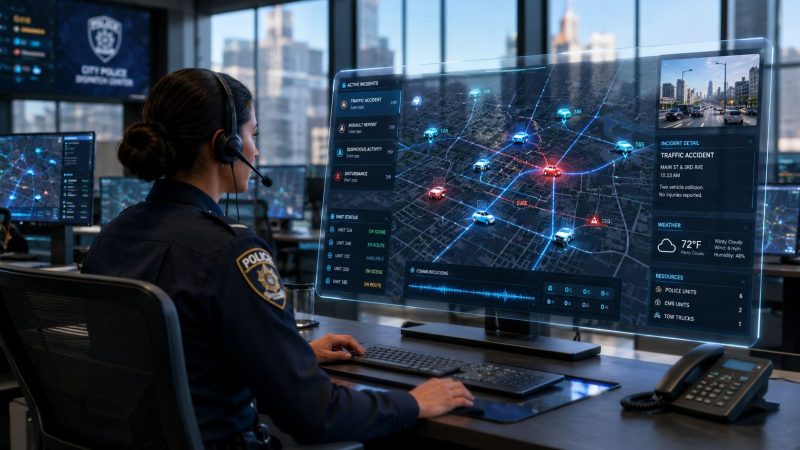
Police CAD Systems: Your 2026 Guide to Features & Buying
A lot of agencies are in the same spot right now. Dispatchers are juggling radio traffic, a caller is giving half-clear location details, patrol units are checking in over voice because status changes don't flow automatically, and someone is still writing key incident details into a side log because the main system can't keep up. Nothing feels fully broken until the busy hour hits. Then every gap shows up at once.
That's why police CAD systems matter. They aren't just another software purchase. They're the operating layer that holds call intake, unit assignment, location awareness, and incident tracking together when the room gets loud. If your current setup forces dispatchers to bounce between screens, duplicate entries, or rely on memory to bridge system gaps, you're already paying for that weakness in overtime, slower coordination, and avoidable field confusion.
Introduction Why Your Agency Needs a Modern CAD System
A common failure pattern looks like this. A call comes in from a cell phone, the address isn't clean, one dispatcher checks mapping in one screen, another checks unit availability in another, and the supervisor asks over radio who's closest because vehicle locations aren't updating cleanly. By the time the right unit gets assigned, the incident record is already messy. Later, records staff have to reconcile what happened from radio traffic, handwritten notes, and separate reports.
That's not a training problem. It's usually a system design problem.

Modern police CAD systems fix that by giving dispatch, patrol, and command a shared operational picture. The core idea is simple. One incident record should move from first call to final disposition without staff retyping the same facts into disconnected tools. One unit status board should reflect what's happening in the field now, not five minutes ago. One map should help dispatch choose the right resource instead of forcing manual guesswork.
The market is moving in that direction for a reason. The global Computer Aided Dispatch market was valued at approximately USD 2.26 billion in 2024 and is projected to grow to USD 4.31 billion by 2030, advancing at a CAGR of 11.2%, which highlights the increasing reliance on digital systems for modernizing emergency response, according to Grand View Research's CAD market analysis.
What modern actually means
A modern CAD platform doesn't need every advanced feature on day one. It does need to handle the basics reliably and make expansion possible later.
Agencies usually need these outcomes first:
- Cleaner dispatch flow: Fewer manual handoffs between call taking, dispatch, and field updates.
- Better officer awareness: Unit status, location, and incident context should stay visible without repeated radio traffic.
- Lower avoidable cost: Reduced duplication, less wasted mileage, and fewer custom fixes to keep old systems alive.
- Faster deployment options: For many teams, especially those with thin IT coverage, tools like dispatching software for emergency response operations are worth evaluating because they reduce the need to piece together separate functions.
Practical rule: If dispatchers are maintaining shadow processes outside the system, the agency doesn't have a software problem alone. It has a workflow and procurement problem.
The important point for 2026 isn't whether your agency should modernize. It's whether you'll choose a system that solves operational pain without locking you into years of expensive workarounds.
Understanding Police CAD Systems Architecture and Purpose
Police CAD systems are easiest to understand if you think of them as air traffic control for first responders. Dispatch isn't just answering calls. It's managing moving units, changing priorities, location accuracy, and incident flow in real time. A CAD system provides the shared control layer that keeps that activity coordinated.
A lot of buyers reduce CAD to “the map” or “the dispatch screen.” That's too narrow. The map matters, but CAD is really the live incident engine behind the map.

The three parts that matter most
At a practical level, most police CAD systems revolve around three working components:
The core system
This is the central database and processing layer. It stores incident records, unit statuses, location data, timestamps, and routing logic.Dispatch workstations
These are the operator interfaces in the communications center. Dispatchers use them to take calls, verify locations, assign resources, and update incidents.Field access points
These include mobile data terminals, in-vehicle laptops, tablets, and other field-facing tools that let officers receive assignments and send updates back.
If one of those three pieces is weak, the whole system feels weak. A good map with poor field synchronization still creates radio clutter. A strong call-taking interface with weak unit tracking still leads to bad assignments.
The core functions every buyer should understand
The baseline capabilities are well established. Computer Aided Dispatch systems perform core functions such as call taking, location verification, resource management, dispatching, and unit status management, and these capabilities are standardized across most typical law enforcement deployments, as described in the Bureau of Justice Assistance overview of law enforcement CAD systems.
That list sounds basic, but each function has operational consequences:
- Call taking determines whether the event is classified correctly from the start.
- Location verification prevents crews from chasing bad addresses or mismatched map points.
- Resource management keeps specialty units, patrol zones, and availability visible.
- Dispatching turns raw information into an action with accountability.
- Unit status management tells supervisors what's committed, what's clearing, and what's available.
A CAD screen should reduce decision load for dispatchers. If it forces them to remember what the software should already know, it's badly configured or badly chosen.
What architecture mistakes cost agencies later
The biggest misunderstanding during procurement is assuming all CAD products with similar screens operate the same way. They don't. Some are built for open data exchange and phased growth. Others are tightly controlled, highly customized systems that become expensive every time you want to connect another product or agency.
That matters when a county wants shared awareness with a neighboring city, when detectives want cleaner incident histories, or when patrol wants field updates to sync without delay. Buyers who focus only on the dispatch console often miss the more important question. Can this system move data cleanly where we'll need it next?
Essential Features That Drive Efficiency and Savings
A CAD purchase starts getting expensive when the feature list drives the decision instead of the workflow. Agencies often buy polished extras before they fix the daily friction that burns dispatcher time, officer time, fuel, and maintenance budget.

The better approach is simple. Prioritize functions that remove repeat work, reduce unnecessary unit movement, and let your team make policy changes without paying the vendor for every adjustment. That matters even more for smaller agencies comparing commercial platforms with cloud-based and open-source options. A lower-cost system can still perform well if the core dispatch flow is solid and the data stays current.
Must-have features
Start with the functions that affect every shift.
- Reliable unit recommendation: Dispatchers should see the closest appropriate available unit based on status, assignment rules, and location.
- Integrated mapping and AVL: Unit location has to be current and readable enough to support fast decisions under load.
- Field access for officers: Mobile access reduces radio congestion and cuts down on repeated voice traffic for status changes and call details.
- Configurable workflows: Agencies save money when supervisors or admins can adjust forms, statuses, and routing rules without custom development. Platforms with workflow automation for dispatch and response teams can be easier to align with local policy.
Savings usually show up in ordinary calls, not edge cases. If the CAD consistently surfaces the nearest suitable unit and shows accurate status, dispatch sends fewer cars across the jurisdiction unnecessarily. The U.S. Department of Energy explains that aggressive driving, excess idling, and avoidable stop-and-go conditions all increase fuel use, which is why cleaner routing and less unnecessary movement matter operationally as noted by the Fuel Economy guide on driving more efficiently.
What that savings looks like in practice
The benefit is rarely dramatic on one incident. It adds up over thousands of dispatches.
A patrol car sent from the wrong side of the city burns more than fuel. It also creates longer radio exchanges, pulls coverage out of position, and increases the chance that another call waits longer than it should.
Common examples include:
- Zone edge calls: Accurate AVL ends the back-and-forth over which unit is closer.
- Shift change periods: Current status and automatic recommendations reduce confusion when units are clearing, logging in, or handing off cars.
- Low-priority queues: Dispatchers can make cleaner assignment decisions when workload, distance, and availability sit in one view.
Field lesson: The lowest-cost dispatch decision is the one that avoids extra miles, extra radio traffic, and duplicate report cleanup.
Nice-to-haves that should usually wait
Advanced features can help. They just do not always belong in phase one.
| Feature | When it helps | When to delay |
|---|---|---|
| Inter-agency messaging | Shared incidents, mutual aid, county coordination | If neighboring systems cannot receive or use the data yet |
| Camera and media linkage | Major incidents, evidence context, supervisor review | If storage cost and retention policy are still unsettled |
| Advanced analytics dashboards | Command review, staffing analysis, trend review | If call coding and status data are still inconsistent |
| Specialized alerting layers | BOLOs, perimeter awareness, planned event operations | If baseline dispatch workflow still needs cleanup |
Cloud and open-source evaluations can help disciplined buyers. Some lower-cost products cover the core workflow well and let agencies add specialty functions later, instead of financing features that sit unused for two years. The wrong buy is not always the cheaper platform. Often it is the larger platform with modules the agency cannot staff, maintain, or justify.
The integration problem most agencies underestimate
Integration usually creates more long-term cost than any single feature module.
A major challenge is the CAD-RMS integration gap. 91% of CAD systems were developed as standalone systems, which limits data sharing and prevents a unified operational view, according to the NHTSA CAD strategies report hosted by 911.gov.
That gap creates practical problems fast:
- Dispatch clears an incident one way, records staff rebuild it another way.
- Officers review one event timeline in the field, investigators find a different version later.
- Neighboring agencies hear the same traffic but cannot confirm incident details in real time.
If a vendor says the CAD integrates with RMS, ask for the exact data flow. Ask whether updates move both ways, whether unit status and narrative changes sync in near real time, and whether your agency can maintain the interface without paying for a change order every time a field is added. A reliable CAD-RMS integration matters because delayed exports still leave dispatch, records, and patrol working from different versions of the same event.
A smarter feature priority order
For agencies watching budget closely, this order usually produces the best return:
- Stable call taking and dispatch flow
- Accurate mapping and current unit status
- Officer mobile access
- Configurable admin controls and reporting
- Interoperability improvements
- Advanced analytics and specialty add-ons
That order keeps the focus on recurring labor, recurring mileage, and recurring reconciliation work. Those are the costs that stay with an agency long after the demo is over.
Choosing a Deployment Model Cloud vs On-Premise
Deployment choice shapes cost more than most feature decisions do. It affects staffing, upgrade cycles, downtime planning, procurement timing, and how quickly your agency can adapt when policies or coverage areas change.
Some agencies still prefer on-premise because it feels familiar and controllable. That isn't always wrong. But it often becomes expensive in ways that don't show up in the initial purchase discussion.
The real trade-off
On-premise CAD usually means more direct control over infrastructure. It also means your team owns more of the hardware lifecycle, patching schedule, redundancy planning, and disaster recovery burden. If you already have strong internal IT support and established public safety hosting practices, that may fit.
Cloud-based CAD shifts much of that infrastructure burden to the vendor. For smaller and mid-sized agencies, that can be the difference between moving forward and delaying modernization for years.
Here's the side-by-side view that usually matters most during evaluation.
| Factor | Cloud-Based (SaaS) | On-Premise |
|---|---|---|
| Upfront cost profile | Lower initial infrastructure spend, ongoing subscription | Larger upfront hardware and implementation spend |
| Budget style | Predictable operating expense | Heavier capital expense plus support costs |
| Internal IT demand | Lower day-to-day infrastructure burden | Higher responsibility for servers, backups, updates |
| Deployment speed | Often faster to stand up | Usually slower because of procurement and infrastructure setup |
| Scalability | Easier to expand users, sites, or agencies | Expansion may require more hardware and planning |
| Customization control | Depends on vendor model and tenant limits | Often deeper local control, but also more local maintenance |
| Security operations | Shared responsibility with vendor | Agency carries more direct technical responsibility |
| Disaster recovery | Often built into service design | Agency must design, fund, and test it |
Where agencies save money
The clearest savings from cloud deployment usually come from avoiding infrastructure refresh cycles, reducing dependence on specialized local support, and shortening the path to go-live. Small agencies especially benefit when they don't have to keep dispatch software alive on aging equipment because replacing the underlying stack would blow up the budget.
A practical procurement question is this: are you trying to buy software, or are you accidentally buying a second IT project?
If your team lacks the staff to manage redundant systems, after-hours maintenance, and upgrade testing, cloud often wins on total effort even when subscription costs feel higher at first glance.
Where cloud can go wrong
Cloud isn't a free pass. Agencies still need to review uptime expectations, data ownership terms, export options, outage procedures, and how field operations continue if connectivity is degraded. A weak SaaS contract can create a different kind of lock-in than a weak on-premise deployment.
For agencies working through that decision in detail, this expert guide on cloud migration for businesses is useful because it frames migration as an operating model decision, not just a hosting change.
Don't compare cloud and on-premise only on subscription versus server cost. Compare them on staff time, upgrade pain, outage planning, and how many outside consultants you'll need to keep the system healthy.
When on-premise still makes sense
On-premise still fits some agencies well, especially those with:
- Established local infrastructure: Existing secure environments and experienced support teams.
- Strict control preferences: Leadership wants direct control over system timing and changes.
- Regional dependencies: Local integration architecture is already built around internal systems.
For everyone else, cloud should be treated as a serious cost-control option, not a compromise.
Navigating Interoperability Security and Compliance
A CAD system can look polished in a demo and still fail where it matters most. If it can't exchange information cleanly, protect sensitive data properly, and fit your compliance obligations, it will create friction every day and risk when things go wrong.
Interoperability is an operations issue
Interoperability isn't an abstract IT goal. It changes what dispatchers can see during mutual aid, what supervisors can confirm across jurisdictions, and how fast a shared incident picture forms during a fast-moving event.
A closed CAD environment creates expensive habits. Dispatch prints summaries. Officers relay details by voice. Supervisors call neighboring centers to verify what the systems should already be exchanging. That's slow, and it increases the chance of conflicting information.
When agencies evaluate police CAD systems, they should ask direct questions about standards support, export formats, API access, and whether the vendor charges extra to let the agency use its own data in other systems later. Buyers should also ask how the product handles event acknowledgment across agencies, because mutual awareness is often more valuable than deep integration at the start.
Security and compliance need to be procurement requirements
Security review should start before vendor selection, not after contract signature. Public safety systems deal with incident detail, personally identifying information, officer activity, and other sensitive records. That means access control, logging, encryption practices, hosting arrangements, and administrative permissions all matter.
The agency also needs to think about policy fit. Who can see what. Who can export what. Who approves integrations. Who reviews audit logs. Those questions are just as important as feature questions.
For teams building their checklist, this overview of DFW data security and compliance is a helpful reminder that compliance work is operational, not only technical. The product must fit the agency's processes, and the processes must be able to withstand an audit.
What to insist on before purchase
A strong procurement team should make these items mandatory:
- Standards-minded design: Ask how the system supports structured data exchange and future interoperability goals.
- Clear security controls: Require role-based permissions, audit logging, and documented handling of sensitive data.
- Documented hosting and security posture: Review operational protections early, including vendor practices and your own internal responsibilities. Tools with public safety platform security controls should be reviewed the same way as any other vendor option.
- Data portability: Require a written answer on how incident, unit, and administrative data can be exported if you change systems later.
Proprietary design is expensive twice. First when you integrate it, then again when you try to leave it.
The long-term consequence of a closed system
Closed systems often feel simpler during procurement because the vendor controls every moving part. That simplicity rarely lasts. Eventually the agency needs to share data with a county partner, connect a records tool, support regional dispatch, or move historical information into another platform. Then every closed door becomes a billable project.
The smarter move is to treat interoperability, security, and compliance as absolutely essential buying criteria from day one.
A Practical Procurement and Implementation Checklist
At 2:00 a.m., a dispatcher is working a pileup, a domestic, and a medical assist at the same time. If the new CAD slows call entry, hides unit status, or forces staff into workarounds, the project has already failed, even if the demo looked polished and the bid came in low.

A good procurement process keeps that outcome in view. The goal is to buy a system your agency can afford, implement, support, and replace later if needed. That is why cost control, workflow fit, and data portability belong in the same conversation from day one.
Step 1 needs assessment
Start with actual operations.
Sit down with dispatchers, patrol supervisors, records staff, and IT. Map where calls stall, where duplicate entry shows up, where location data breaks, and where staff fall back to paper, whiteboards, or spreadsheets. Those pain points should become purchasing requirements, test scripts, and training priorities.
Useful prompts include:
- What tasks leave the system and move to paper or spreadsheets
- Which incident types create the most radio back-and-forth
- Where does field status become unreliable
- What reports require manual cleanup
If the agency does not define the problems clearly, the vendor will define them during the demo.
Step 2 build a total cost view
Sticker price is the easiest number to compare and the least useful one to compare by itself.
The total cost of a CAD system includes licensing, implementation, data migration, training, support, hardware or device dependencies, interface work, and exit costs. Cloud systems can reduce local infrastructure and patching work, but they may shift spending into recurring subscription fees and storage charges. On-premise systems can look cheaper after year one if the agency already has capable infrastructure, but they often bring heavier upgrade, backup, and staffing burdens.
Build your cost review around questions like these:
| Cost area | What to ask |
|---|---|
| Licensing or subscription | What changes the price later, users, modules, locations, storage, or support tier? |
| Implementation | What is included versus billed as professional services? |
| Data migration | How much legacy data is moving, and who validates it? |
| Training | Is refresher training included after go-live? |
| Exit cost | What does it cost to export data if you switch vendors? |
Agencies that skip this step usually pay for it later in change orders, rushed integrations, and contract renewals they cannot easily escape.
Step 3 evaluate vendors like an operator
A polished demo proves very little. A useful demo shows how the system handles routine stress, bad data, and interrupted workflows.
Ask vendors to run the product through scenarios such as:
- A messy address call.
- A priority event with multiple units.
- A call reassignment across zones.
- A corrected location after dispatch.
- A supervisor review of the incident timeline.
Watch for the small things. Count the clicks. Check whether units can update status quickly. See how easy it is to correct bad information without creating confusion downstream.
This is also the point to compare commercial platforms against cloud-first and open-source options. For some agencies, a traditional enterprise product is still the right fit. Others can save meaningful money with a lighter deployment model, fewer infrastructure demands, and better control over customization and exit planning. Resgrid falls into that broader conversation. It is an open-source platform that includes dispatching, messaging, personnel tracking, and reporting, which may suit agencies trying to control cost without funding a large custom rollout.
Buy for your busiest routine shift and your ugliest common call.
Step 4 negotiate while choices still exist
Your strongest position is before signature, not after go-live.
The contract should answer a few plain questions. How are future integrations priced? Who can make configuration changes, and what do those changes cost? What support response times are included? How do renewals work? What format will your data be delivered in if you leave?
A low bid can turn into a costly system if every report tweak, interface update, and workflow change requires paid vendor hours.
Step 5 plan migration as an operations project
Migration affects call handling, supervision, reporting, and field use. Treat it like an operational change with technical dependencies, not a background IT task.
Run test incidents through the new system. Validate status codes, response plans, maps, unit recommendations, and historical records. Compare old and new workflows side by side with actual users in the room. If dispatchers are inventing workarounds during testing, fix that before launch.
Agencies often make smart cost decisions by limiting customizations, cleaning legacy data before conversion, and phasing in lower-risk integrations first. That approach usually costs less than trying to rebuild every old quirk inside the new platform.
Step 6 train by role, then support after launch
Dispatchers, patrol, supervisors, and administrators use CAD differently, so training has to match those jobs.
A practical launch plan includes:
- Dispatcher scenario training: High-volume call intake, reassignment, and unit tracking.
- Patrol workflow training: Mobile updates, acknowledgment, and incident review.
- Supervisor oversight training: Monitoring queues, unit load, and exception handling.
- Post-launch support windows: Staff need fast answers in the first live period or they will revert to old habits.
Keep the first version disciplined. Train to the standard workflow first, then add refinements after the agency is stable. That matters even more with cloud and open-source platforms, where it can be tempting to configure too much too early because the system makes changes easier to deploy.
Agencies usually get better outcomes when they treat implementation as workflow change, budget control, and risk management all at once. That is how a CAD project stays affordable without cutting the functions dispatch and patrol need.
Your Next Steps Toward a Smarter Dispatch
A smart CAD decision doesn't require the biggest budget. It requires discipline. Agencies get better outcomes when they stay focused on operational fit, data movement, and long-term support burden instead of buying the flashiest screen or the longest feature list.
The right police CAD system is the one that your dispatchers can trust under pressure, your patrol units can use without friction, your IT team can realistically support, and your leadership can afford over the full life of the system. That may be a traditional enterprise platform. It may be a cloud-first product. It may be a more flexible open-source approach. What matters is whether it solves your actual dispatch problems without creating a new layer of contract, integration, and maintenance pain.
Three moves to make this month
- Form a small evaluation group: Include one dispatcher, one patrol representative, one supervisor, and one IT lead. Keep the group small enough to make decisions.
- Audit your current dispatch process: Identify the top three failures you need the new system to fix. Not twenty. Three.
- Research a wider set of options: Look at established vendors, cloud deployments, and flexible modern platforms. Compare them against workflow fit, interoperability, support model, and exit terms.
If your agency does those three things before talking seriously with vendors, you'll avoid a lot of expensive noise.
The best CAD purchase is usually the one that removes recurring friction first and leaves room to grow later.
A better dispatch environment is achievable on a tight budget. But only if the agency treats procurement as an operational decision, not just a technology purchase.
If your team is evaluating ways to modernize dispatch without piling on contract complexity, Resgrid, LLC is worth a look. It provides an open-source platform for dispatching, messaging, personnel tracking, and reporting, which can suit agencies that want a flexible, cost-conscious path to improving coordination and day-to-day response management.