
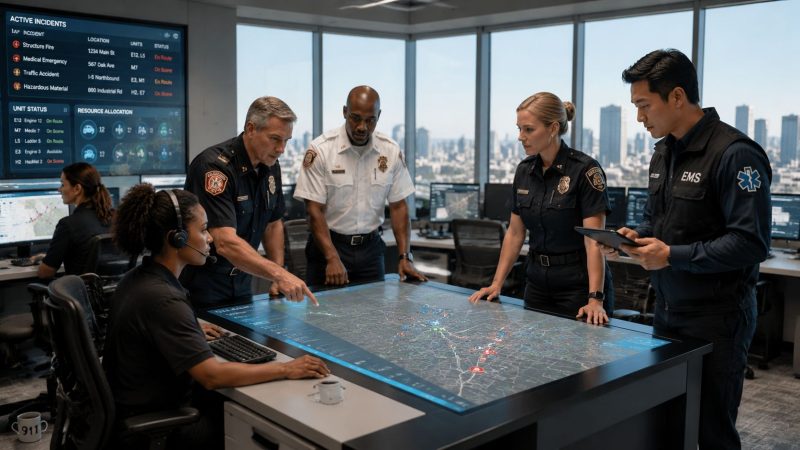
Optimize Your Incident Management Workflow
A lot of teams are running an incident management workflow right now without calling it that. A dispatcher is juggling radio traffic, a supervisor is texting updates from a personal phone, someone is writing times on a glove or notepad, and the person in charge is trying to keep a moving scene in their head. It works until the call gets bigger, lasts longer, or pulls in outside agencies.
That's when the cracks show. Units double up. Critical tasks stall. Nobody is fully sure who has accountability for staging, transport coordination, family notifications, or documentation. The cost isn't abstract. It shows up as wasted apparatus movement, longer scene times, overtime, missed handoffs, and avoidable risk to responders.
A good incident management workflow fixes that. Not by adding paperwork in the middle of an emergency, but by giving the team a predictable way to detect, triage, assign, communicate, adapt, close out, and learn. For first responders, that discipline matters even more than it does in a typical IT or operations setting because bad information on a live scene can hurt people fast.
From Chaos to Control Why Your Team Needs a Formal Workflow
Rush hour. Wet pavement. A multi-vehicle pile-up stretches across two lanes and the shoulder. Fire is responding for entrapment, EMS is sorting patients, law enforcement is trying to shut down access, towing is inbound, and traffic is backing up for miles. The first unit arrives and starts acting as command, but the staging area isn't clearly set. A second agency comes in on a different channel. One supervisor thinks the far lane is closed. Another doesn't. A medic crew gets tasked twice while another sits idle because nobody has a clean view of assignments.
That's the kind of scene where informal coordination falls apart.

The hidden cost of disorder isn't just confusion. It's fuel burned by unnecessary movements, expensive apparatus tied up longer than needed, overtime that could've been avoided, and delayed coverage for the next call. Teams also pay for it in safety. If command can't account for personnel, can't confirm assignments, or can't push one clean update to everyone, the scene stays unstable longer.
What structure changes on a live incident
A formal incident management workflow gives the team a repeatable rhythm:
- Detection and triage happen fast: The incident gets classified early, so the right level of response goes out before the scene expands.
- Assignments are visible: Crews know whether they're staging, making entry, handling traffic control, or setting up transport.
- Escalation is controlled: Extra alarms, mutual aid, specialty assets, and command staff get added for a reason, not because the radio got noisy.
- Documentation keeps up: Major decisions, arrival times, resource requests, and handoffs don't disappear.
That kind of discipline has measurable operational value. Optimizing incident management workflows using step-by-step detection and prioritization protocols cuts detection time by 50% and resolution time by 30% according to NineArches on incident workflow optimization. In public safety terms, faster detection and cleaner prioritization mean fewer wasted minutes before someone gains control of the incident.
Practical rule: If your command process depends on memory, whiteboards, and side conversations, it will fail first on the incidents that matter most.
There's a useful parallel outside emergency response. Freight teams deal with the same “too many moving parts, too little shared context” problem, which is why resources like Logivo's platform for hauliers are worth looking at. Different field, same lesson. Once assets, people, and timing have to line up under pressure, workflow discipline stops being administrative and starts being operational.
What doesn't work
A few habits consistently break teams:
- Phone trees instead of one command path
- Undeclared command
- Units self-dispatching tasks on arrival
- Status tracking done on scraps of paper
- Separate agency notes that never reconcile
Those methods can limp through routine calls. They don't hold on a fatal crash, structure fire, missing person search, severe weather event, or campus-wide security incident. A formal workflow is what turns a busy scene into a controlled one.
Laying the Foundation Core Objectives and Roles
Before a workflow can run cleanly, everybody involved needs to know what the incident is trying to achieve and who owns each moving part. In first response, the objectives aren't theoretical. They're practical, time-bound, and tied to safety.

The objectives that matter in the field
A working incident management workflow for first responders should hold four objectives at all times:
| Objective | What it means on scene | Money-saving effect |
|---|---|---|
| Responder safety | Track who is committed, where they are, and what they're doing | Prevents unnecessary exposure and costly follow-up from poor accountability |
| Rapid stabilization | Focus first on controlling hazards and restoring safe operations | Reduces scene duration and frees units faster |
| Clear communication | Send one version of the incident picture to everyone involved | Cuts duplication, repeat radio traffic, and misrouted resources |
| Efficient deployment | Match the right people and equipment to the incident type | Avoids over-response and keeps reserve capacity available |
One practical way to support responder safety is to make personnel status visible instead of assumed. Tools that centralize personnel accountability and availability help command see who's available, assigned, delayed, or off-duty without chasing updates over radio.
The roles that keep order
Titles matter less than responsibilities, but someone still has to own each lane.
- Incident Commander: Sets objectives, approves strategy, requests escalation, and keeps the operational picture coherent.
- Dispatcher or communications lead: Starts the workflow, logs the call, pages the right groups, tracks acknowledgments, and maintains the incident timeline.
- Public Information Officer: Handles controlled outward communication so rumors don't become a second incident.
- Unit leaders: Turn strategy into action on the ground, report conditions, and flag resource needs early.
- Scribe or documenter: Captures times, actions, decisions, and changes while the rest of the team works.
Rotate command responsibility in training before you have to rotate it in real life.
That's one of the most useful habits mature teams build. Expert guidance stresses rotating the Incident Commander role across senior engineers, using purpose-built coordination tools instead of homegrown bots, and scheduling post-mortem reviews within 24-72 hours of resolution in incident.io's incident management best practices. The context there is technical operations, but the lesson transfers cleanly to emergency services. If only one person can run command well, the agency has a fragility problem.
Where agencies lose money and momentum
The workflow usually weakens at the edges of responsibility. A few examples:
- Command is declared late: Units act independently too long, which creates rework.
- Dispatch owns too much for too long: Field leaders don't take operational control early enough.
- Documentation gets deferred: Then someone reconstructs the scene later on overtime.
- Specialty tasks have no owner: Traffic control, family notifications, evidence protection, or rehab fall through.
A good reminder comes from adjacent work. The people handling scene cleanup after law enforcement leaves have clearly defined responsibilities, and understanding what crime scene cleaners do is a useful example of how tightly scoped roles reduce confusion, liability, and delays once the active response phase ends.
The Workflow in Action From Trigger to Resolution
The cleanest incident management workflow follows the actual life of a call. It starts before wheels roll and doesn't end when the last unit clears. The broad phases are generally understood. What matters is what each phase requires in practice.

Trigger detection and incident declaration
The trigger might be a 911 call, an alarm panel, a weather notification, a patrol observation, or a report from staff at an event venue. The mistake many agencies make is treating intake as simple call-taking. It isn't. Intake sets the entire response posture.
The first questions should establish incident type, location confidence, immediate hazards, number of likely patients or involved parties, access limitations, and whether the event is expanding. Then someone has to declare what this is operationally. Not perfectly. Just clearly enough to start the right response.
Real-world incident logs show a six-step structure of detection and logging, categorization and prioritization, assignment and escalation, investigation and diagnosis, resolution and recovery, and closure with documentation. Those same logs also show that in NOC environments, engineers spend 15 to 20 minutes collecting interface statistics and checking logs before priority assignment can begin, according to the UCI incident management process event log dataset. First responders don't have that kind of time, which is exactly why intake discipline matters so much more in this environment.
Initial assessment and mobilization
Once the incident is declared, dispatch and command need to answer three questions quickly:
- What severity is this right now
- What resources are needed immediately
- What could make this incident larger in the next few minutes
That produces the first operational package. For a highway pile-up, that might mean fire suppression, extrication, ALS transport, traffic control, towing coordination, and upstream rerouting. For a school incident, it might mean perimeter control, medical standby, family reunification planning, and unified command with administration.
For agencies trying to move this from paper SOPs into active use, digital workflow automation for dispatch and incident steps helps convert those decisions into checklists, assignments, and escalation paths that teams can follow under stress.
Here's a short field example.
A hazardous materials call with vague initial reporting should trigger broader staging and controlled access early. It's cheaper to release unneeded units than to redeploy after crews have already committed into a contaminated area.
A related operational lesson shows up in physical security work. Teams reviewing addressing security incident weaknesses will recognize the same pattern: weak intake and poor escalation create bigger downstream problems than the original incident.
A quick visual walkthrough helps here:
On-scene command and coordination
Once units arrive, the workflow changes from mobilization to control. Command needs a common operating picture. That means confirmed conditions, identified hazards, clear staging, task assignments, medical branch if needed, transport coordination, and status accountability for all personnel.
In these situations, weak systems get loud. Everybody is talking, but not much is being communicated.
A practical on-scene rhythm looks like this:
- Command confirms the incident footprint: What's affected, what isn't, and where units should not go.
- Operations get divided: Suppression, rescue, medical, traffic, evacuation, perimeter, utilities, or search sectors.
- Updates follow a standard: Conditions, actions, needs, and next expected change.
- Escalation stays intentional: More units only when objectives require them.
Resolution, demobilization, and closure
The incident isn't done when the main hazard is controlled. Teams still need to account for equipment, release mutual aid, document injuries or exposures, transfer custody when needed, reopen access safely, and close the record.
That final stretch is where money leaks out of a lot of agencies. Crews sit on scene waiting for direction. Reports get completed later on overtime. Equipment issues get discovered at the next call, not this one.
Use a closeout checklist that covers:
| Closeout item | Why it matters |
|---|---|
| Personnel accounted for | Confirms nobody is left committed or untracked |
| Equipment returned or flagged | Avoids next-call readiness failures |
| Scene transferred or secured | Prevents responsibility gaps |
| Key times documented | Supports review, billing, and defensibility |
| After-action scheduled | Turns the incident into improvement instead of folklore |
The workflow works when each phase hands the next one usable information, not just noise.
Streamlining Communication with Platform Integration
Most response problems aren't caused by a lack of effort. They're caused by fragmented communication. One update goes over radio, another by text, another by phone, and another gets written on a whiteboard in dispatch. By the time command needs a clean status picture, the information is spread across four places and half of it is already stale.
That's expensive. Not because software is magic, but because people and equipment are expensive, and poor coordination wastes both.

Why manual methods break down
Manual communication methods usually fail in predictable ways:
- Phone trees slow everything down: The message gets passed, trimmed, repeated, and distorted.
- Radio-only coordination overloads channels: Important traffic gets buried under status chatter.
- Whiteboard tracking lags reality: The board is only accurate until the next unlogged movement.
- Personal messaging apps create blind spots: Command and documentation teams can't see the full picture.
A unified platform fixes the workflow at the point where teams usually lose time. Instead of asking “Who has unit availability?” “Who saw the update?” and “Which team is taking this task?” the system answers those questions in one place.
What integrated communication looks like in practice
A digital workflow should do a few things well:
| Need | Manual method | Integrated method |
|---|---|---|
| Alerting | Call or text individuals | Page the right group based on incident type |
| Status tracking | Ask units for updates repeatedly | View acknowledgments, availability, and assignments live |
| Message distribution | Repeat updates over multiple channels | Push one update to all relevant personnel |
| Accountability | Track on paper or memory | Keep a live roster of assigned responders |
For teams that need one system for dispatch, accountability, and coordination, Resgrid is one practical option. It combines dispatching, organization management, reporting, and team messaging for incident updates in a single interface, which is exactly the kind of consolidation that helps first responders reduce administrative drag during active incidents.
The cheapest minute on a major incident is the one you never waste chasing a status update.
That matters because organizations typically see Mean Time to Resolve drop by 40% to 60% after implementing formal incident management workflows, as noted by Monte Carlo's incident management framework overview. In emergency services, the translation is straightforward. Cleaner workflows mean less delay between intake, action, and closure.
Where the savings actually come from
The savings aren't only in faster incident handling. They show up in smaller operational decisions:
- Fewer duplicate dispatches
- Less supervisor time spent reconciling who is where
- Shorter scene durations because tasks are assigned once
- Less overtime spent rebuilding timelines for reports
- Better use of reserve capacity because availability is visible
A captain or dispatcher doesn't need another dashboard for the sake of a dashboard. They need one source of truth that helps put the right people in the right place, sends one clean message to everybody affected, and leaves behind a usable record. That's what platform integration should do. If it doesn't do that, it's just another screen.
Measuring Success and Driving Improvement
If you can't measure your incident management workflow, you'll end up arguing from memory. Memory is usually wrong, especially after a hard call. Teams need a short set of indicators that show whether the workflow is tightening up or drifting.
Track the numbers that change operations
For first responders, the best KPIs are the ones that expose speed, control, and resource use. They should be simple enough to review after every meaningful incident and consistent enough to compare over time.
| KPI | Description | Target Example |
|---|---|---|
| Time to dispatch | Time from incident intake to resource notification | As short as operationally possible for the incident type |
| Time to first unit on scene | Time from dispatch to first arrival | Based on your coverage area and unit model |
| Command establishment time | Time from first arrival to declared command | Immediate or near-immediate on working incidents |
| Incident resolution time | Time from dispatch to stabilization or operational close | Varies by incident category and complexity |
| Resource utilization rate | How efficiently personnel and apparatus were used | High alignment between dispatched assets and actual need |
| Documentation completion time | Time from incident close to completed records | Completed promptly while details are still fresh |
Don't overbuild this. A small agency with five solid KPIs will improve faster than an agency with twenty metrics nobody trusts.
Tie review to severity, not just curiosity
Your review process should follow the same severity logic as your response process. Triage and prioritization need to be tied to Service Level Agreements based on severity levels that are explicitly defined and understood. A SEV1 requires an immediate response plan, while a SEV2 follows a different escalation path, as outlined by SolarWinds on incident management workflow severity and SLA alignment.
That idea adapts well to emergency services. Not every call needs the same level of review.
- Major incidents: Formal after-action review, assigned follow-ups, workflow updates
- Moderate incidents: Focused hot wash with documented lessons
- Routine incidents with anomalies: Short review if something broke, delayed, or confused the team
Review the system first. If a person made a mistake, ask what in the workflow made that mistake easy to make.
Turn reviews into actual change
A hot wash that ends with “good job, everyone” doesn't improve anything. A useful review answers a few hard questions:
- What did we know at dispatch, and what did we miss
- Where did communication slow down
- Which role carried too much load
- What task had no clear owner
- What needs to change in the runbook, checklist, or training drill
Then make one concrete change. Update a playbook. Change an alert group. Add a staging checklist. Rewrite the first-arriving officer script. Continuous improvement isn't complicated. It's disciplined.
Building a Resilient and Cost-Effective Response System
A strong incident management workflow doesn't come from copying a textbook chart and calling it done. It comes from tightening the parts that break under pressure. Clear command. Defined roles. Fast triage. Reliable communication. Documented closeout. Honest review.
When those pieces work together, agencies become more resilient in very practical ways. Crews spend less time figuring out who is responsible for what. Dispatch moves information with less repetition. Command sees the scene more clearly. Reports get finished without a second round of detective work. Equipment and people get used with more precision, which is where real cost control starts.
The most useful improvement usually isn't dramatic. It's the fix that removes one recurring point of friction. Maybe that's declaring command earlier. Maybe it's formalizing staging. Maybe it's replacing scattered texts with one communication path. Maybe it's building a closeout checklist so incidents don't linger after the hazard is controlled.
Start there. Map the workflow you use in practice, not the one in the policy binder. Find one handoff that causes confusion. Find one communication step that relies on memory. Find one role that gets overloaded. Then fix that piece and run it in training until it holds under stress.
That's how response systems get better. Not all at once. Call by call, drill by drill, correction by correction.
Resgrid, LLC gives first responders, dispatchers, and response-driven organizations a practical way to centralize dispatching, messaging, personnel tracking, reporting, and workflow coordination in one platform. If your current incident management workflow depends on scattered tools or manual status checks, it's worth reviewing how Resgrid, LLC fits into your operation and where it can help you save time, tighten accountability, and reduce unnecessary administrative cost.