
Personnel Tracking System: The Ultimate 2026 Guide
At 02:00, the board still looks clean, but the scene doesn't. Crews are spread across a structure, a parking lot, and a side entrance nobody mentioned on the first radio report. One medic team is moving. A volunteer just arrived and hasn't checked in with staging. Dispatch is asking who's available, and the answer depends on who you ask.
That's the point where manual tracking starts to fail. Whiteboards lag. Radio roll calls eat time. Text chains split the picture instead of tightening it.
A personnel tracking system fixes that by turning scattered updates into one live operational view. It isn't just for big-city agencies with deep procurement budgets anymore. A 2025 projection from GIR In says 70% of large employers will use employee monitoring tools, while 2023 U.S. figures put current adoption around 60%. That matters because it shows tracking is now a mainstream operational capability, not a niche add-on.
For budget-constrained departments, volunteer organizations, event teams, and security operations, the value is simple. You spend less time asking where people are, less time duplicating check-ins, and less money patching together separate systems for accountability, messaging, and status. The right setup doesn't have to be elaborate. It has to be reliable, easy to deploy, and matched to the mission.
Bringing Order to Chaos with Modern Tracking
A bad operational picture creates expensive problems fast. Crews get sent from the wrong side of the site. Supervisors interrupt radio traffic for status checks that should already be visible. Someone stays assigned on paper even though they've gone off scene. None of that looks dramatic in a report, but it burns minutes, ties up resources, and increases risk.
Modern tracking changes the rhythm of the operation. Instead of waiting for someone to call in, the system updates who is on duty, who is assigned, where they are, and whether they've moved into or out of a defined area. That gives command staff a running accountability picture without stopping work to rebuild it every few minutes.
Where the savings show up first
Small agencies often assume this technology is out of reach because they picture dedicated tags, custom maps, and a long implementation project. Sometimes that's true. Often it isn't.
For many teams, the first savings come from removing avoidable friction:
- Fewer manual check-ins: Staff don't need to repeat routine status over the radio.
- Cleaner shift records: Digital logging reduces paper errors around start times, overtime, leave, and absences.
- Better use of supervisors: Officers spend more time managing the incident and less time hunting for basic accountability details.
- Less duplicated software: One platform can replace separate tools for rostering, messaging, and visibility.
Practical rule: If your team is still building accountability from radio traffic and memory, you're paying for tracking problems already. You're just paying in labor, delay, and risk instead of software.
A good personnel tracking system also scales better than a manual method. A volunteer company can use the same core approach as a regional event operation. The difference is usually the level of precision and the hardware attached to it, not the underlying need.
What Exactly Is a Personnel Tracking System
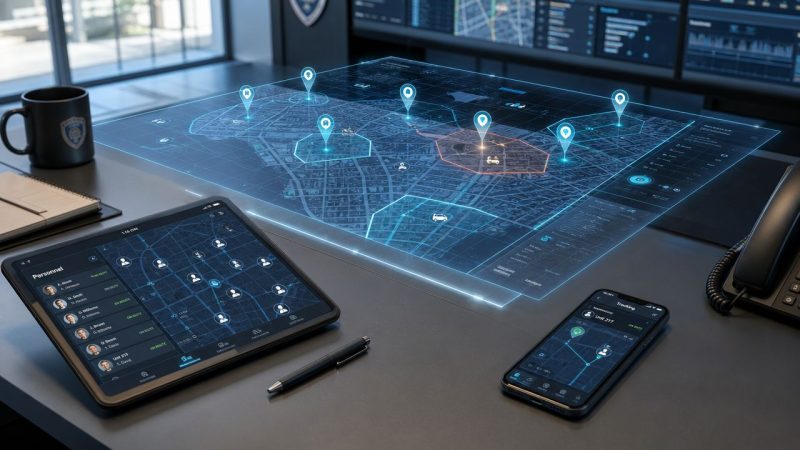
Think of it as a live, self-updating command board. Instead of magnets on a whiteboard or names on a clipboard, the board updates from the field as people move, check in, change status, or leave an assignment.

That's why these systems matter operationally. They combine location, status, and communication into one view that command, dispatch, and supervisors can use.
The three parts that matter
Most systems boil down to three pieces.
The device.
Usually this is a smartphone, tablet, badge, wearable tag, or vehicle-mounted unit. It's what sends the location or status signal. In lean deployments, a phone is often enough to start. In harsher environments, dedicated hardware makes more sense.
The network.
The system needs a way to move data. Outdoors, that's often cellular and GPS. Indoors, the network might rely on Bluetooth Low Energy, RFID, or Ultra-Wideband. Some systems mix methods because the workforce moves between buildings, vehicles, and open ground.
The dashboard.
The dashboard makes the value visible. A dispatcher or incident commander sees personnel on a map, checks availability, spots gaps, and reviews movement history when needed. A platform such as Resgrid personnel features fits this model by tying personnel status and tracking into a broader operational dashboard.
What it is not
A personnel tracking system isn't just a digital time clock. It also isn't useful if it only creates more data for somebody to sort through later.
What works is a system that answers field questions in real time:
- Who is available right now
- Who is assigned where
- Who has entered or left a zone
- Who hasn't checked in
- Who needs help first if conditions change
The best systems don't add another screen to watch. They replace three incomplete ways of tracking people with one dependable picture.
That's why teams that deploy well usually start with a narrow operational use, then expand. Accountability first. Shift visibility next. Historical reporting after that. When organizations try to buy every feature on day one, they usually overcomplicate the rollout and underuse the system.
Core Capabilities That Enhance Operations
The best way to judge a personnel tracking system is to ignore the marketing and ask one question for each feature: Does this reduce field confusion or administrative drag? If the answer is no, it's decoration.

One sign of how far the market has moved is that 34% of monitoring tools now track employees' exact GPS location, up 44.85% compared with 2021. That tells you tracking has shifted well beyond attendance and into operational telemetry.
Real-time location that people can act on
Outdoor GPS is the feature most buyers recognize first. It helps with staging, route coordination, perimeter work, and field service deployment. If a supervisor can see which unit is closest and available, they stop guessing and start assigning with confidence.
Indoors, the question changes. You're not asking which team is nearest across town. You're asking whether a person is on the correct floor, in the right wing, or inside a restricted area. That's where indoor technologies matter.
For cost control, many teams should pause before buying. If you only need to confirm arrival at a facility or presence in a general zone, broad-area visibility may be enough. Exact coordinates are useful, but they're not free.
Geofencing and zone logic
Geofencing is one of the most practical features because it automates the kind of oversight supervisors otherwise handle manually. You define a digital perimeter around a building, event footprint, hazard area, or staging zone. The system then logs entry, exit, and dwell time.
That creates savings in several ways:
- Automatic arrival confirmation: No one needs to call in to say they made it on scene.
- Restricted area alerts: Supervisors get notified when someone enters a place they shouldn't.
- Shift boundary enforcement: Teams can confirm whether staff reached the work area.
- Simpler after-action review: Command can reconstruct who was where during key moments.
Status updates and less radio clutter
A tracking map by itself doesn't solve much if nobody knows what the person is doing. Strong systems let users update status quickly. Available, en route, staged, assigned, transporting, out of service. Those labels matter because they reduce routine radio traffic that competes with urgent traffic.
A medic unit at an event is a good example. If command can already see that the team is assigned and inside the venue, there's no need for repeated verbal checks unless the situation changes.
Field lesson: The cheapest efficiency gain often comes from replacing routine voice updates with visible status changes.
Reporting that helps budgets instead of just audits
Reporting is where many organizations either recover value or waste it. If reports only exist to satisfy a compliance request, the system will feel like overhead. If reports help you adjust staffing, review coverage gaps, and defend procurement decisions, they become operational tools.
Useful reports often answer questions like these:
| Operational question | Useful report output | Why it matters |
|---|---|---|
| Were enough people available at key times | Staffing and availability logs | Supports scheduling changes |
| Did teams remain in assigned zones | Entry and exit history | Helps compliance and supervision |
| Were certain sites repeatedly under-covered | Historical assignment view | Guides resource placement |
| Did arrivals lag during certain shifts | Time-based response patterns | Helps fix workflow and staffing issues |
Budget-constrained organizations can be smart. Don't buy a giant analytics package first. Buy the reporting that helps you run the next month better than the last one.
Real World Impact and Use Cases
The difference between a good and bad deployment shows up in the field, not the sales demo.

Structure fire accountability
Inside a large building, broad GPS isn't enough. Command needs to know more than whether a firefighter is somewhere on the property. In safety-critical indoor work, precision can change the quality of the response. Inpixon reports about ±40 cm location accuracy for UWB-based personnel tracking, and Sewio reports up to 30 cm accuracy. That level of detail is useful when reconstructing movement indoors and tightening geofencing in complex facilities.
In practical terms, that means command can distinguish between crews in adjacent rooms or on different sides of a corridor. If a mayday comes in, the search area is tighter from the start.
Public event coordination
At a festival, fair, or stadium detail, the problem is coverage, not just rescue. Security, EMS, and logistics teams are all moving, often across a wide footprint. Here, a personnel tracking system acts like a shared operating picture. Supervisors stop calling every team for location updates and start dispatching based on who is nearest and available.
This setup also helps volunteer-heavy events. Temporary staff can be placed on the map, assigned a zone, and monitored for basic accountability without building a custom command process for every shift.
A short demonstration helps show how these systems look in practice during live operations:
Lone worker protection
A security patrol officer, utility worker, or building engineer working alone has a different risk profile. The value here isn't mostly route optimization. It's welfare monitoring.
A practical deployment uses scheduled check-ins, location visibility, and a duress workflow. If the worker misses a check-in or stops moving in the wrong place, a supervisor can intervene early instead of discovering the problem much later.
Volunteer search and rescue
Search and rescue teams often bring together people from different units, with different radios, devices, and habits. That mix creates accountability gaps quickly.
A flexible tracking platform helps by giving everyone a common map and status framework. Team leaders can define sectors, monitor search progress, and identify who has not returned from an assignment area. For volunteer organizations, this is one of the strongest arguments for a simple cloud-based platform. It creates structure without forcing a big hardware purchase at the start.
Key Technical and Privacy Considerations
Most tracking projects go off course for two reasons. The buyer chooses more precision than the mission needs, or leadership treats privacy as a legal footnote instead of an operational issue.
Match precision to the mission
Buyers often assume finer tracking is always better. It isn't. Sewio notes UWB can reach about 0.3 to 1 m accuracy, while BLE is typically 3 to 5 m. That tradeoff matters because cost, battery behavior, installation effort, and maintenance all move with the accuracy requirement.
If you're trying to locate a firefighter inside a complex building, tight accuracy may be justified. If you're managing event staff across gates, parking, and concessions, zone-level awareness is often enough.
A simple way to decide:
- Choose UWB when room-level or sub-meter location affects life safety or detailed indoor accountability.
- Choose BLE when you need broad indoor coverage, presence detection, or zone compliance.
- Choose phone-based GPS when outdoor visibility and low deployment cost matter most.
Buy the least complicated system that answers the operational question you actually have.
Privacy policy is part of the deployment
Personnel will accept tracking faster when the rules are clear. Problems start when the system can track more than policy allows, and no one explains where the boundary is.
Your policy should state:
- When tracking is active
- Who can see live location
- What gets retained for reporting
- How off-duty time is handled
- How contractors, visitors, and temporary staff are onboarded
If you're building that governance framework, Resgrid privacy information is a useful reference point for thinking through operational data handling in a response platform.
The same issue comes up in logistics. Teams comparing fleet, package, and field-worker visibility can borrow ideas from Peak Transport's final mile insights, especially around balancing real-time oversight with practical workflow design.
BYOD, battery, and data ownership
Using personal phones lowers upfront cost, but it creates policy work. You need clear consent, clear app behavior, and clear off-duty rules. Dedicated devices avoid some of that but increase hardware expense and replacement overhead.
Battery life also matters more than many buyers expect. A system that reports constantly but dies halfway through the shift creates a false sense of visibility. Ask how often devices report, what happens in weak coverage, and whether the platform degrades gracefully when a signal drops.
Implementation and Vendor Evaluation Checklist
Most organizations don't need a giant rollout. They need a disciplined one.
Start with four steps.
- Define the mission first. Decide whether your main problem is accountability, shift visibility, lone-worker safety, event coordination, or indoor rescue support. One clear use case keeps you from buying features that look impressive and solve nothing.
- Run a pilot in a real workflow. Test with one shift, one venue, one station, or one event. Don't test with ideal conditions only. Include the messy conditions that normally break your process.
- Write policy before expansion. Access rules, privacy boundaries, retention, and supervisor responsibilities should be clear before the system becomes routine.
- Train for normal use, not just emergencies. If crews only touch the system once a quarter, they won't trust it under pressure.
Vendor evaluation scorecard
Sticker price is rarely the actual cost. The bigger expense usually comes from contract lock-in, paid add-ons, or a system that demands more infrastructure than your team can support.
| Evaluation Criterion | What to Look For | Why It Saves Money |
|---|---|---|
| Cost model | Monthly platform pricing, transparent user costs, minimal setup fees | Prevents surprise expansion costs |
| Contract terms | Short commitments or self-service options | Reduces lock-in if the fit is poor |
| Device compatibility | Works with existing phones, tablets, and common hardware | Avoids unnecessary equipment purchases |
| Indoor and outdoor support | Supports the environments you actually operate in | Prevents buying separate systems later |
| Mapping and geofencing | Easy zone setup and editing by your own staff | Cuts vendor dependency for routine changes |
| Reporting access | Built-in reports and export options | Reduces manual admin time |
| API and integrations | Open access to dispatch, messaging, and rostering tools | Lowers the cost of connecting systems |
| Data ownership | Clear terms on retention, export, and account closure | Prevents expensive migration problems |
| Admin usability | Supervisors can manage it without specialist support | Cuts training and support burden |
| Scaling for volunteers and temps | Fast onboarding and simple offboarding | Helps mixed workforces without adding admin overhead |
If you're comparing platforms side by side, a structured review like the Resgrid comparison approach is useful because it forces the conversation beyond feature lists and into operational fit.
One product note is worth making plainly. Resgrid, LLC is relevant here because it combines dispatching, messaging, personnel management, tracking, and reporting in one platform. For organizations trying to avoid multiple contracts and disconnected tools, that kind of consolidation can reduce overhead if the feature set matches the mission.
The Future of Coordinated Response
The most important shift isn't technical. It's operational. Teams no longer need to accept blind spots as normal just because they're small, volunteer-driven, or working under tight budget limits.
A personnel tracking system gives command a cleaner picture, but the bigger benefit is what that cleaner picture prevents. Fewer missed check-ins. Less radio clutter. Better accountability. Faster reassignment. Stronger records after the incident. Those are practical gains, and they matter even more when every supervisor is already carrying too much.
The smart move isn't to chase the most advanced map or the most precise hardware. It's to choose the level of tracking that fits your environment, your staffing model, and your risk. Some teams need indoor sub-meter accuracy. Others need a dependable status board and wide-area GPS. Both can be the right answer.
Open-source and flexible cloud platforms have changed the buying equation. You can start with the operational problem, not with a procurement template built for a much larger agency. That's good news for fire departments, emergency managers, event coordinators, and security teams that need capability without a rigid long-term contract.
Start with one question: what accountability failure costs your team the most time or creates the most risk today? Build from there.
If you're evaluating a personnel tracking system and want a practical platform that combines dispatching, messaging, personnel management, tracking, and reporting in one place, take a look at Resgrid, LLC. It's a useful option for agencies and organizations that want operational visibility without taking on a complicated implementation model.